How these orders differ
Rims and cards are parts, not finished books. You order them on their own, or a book order calls for them. They use the same order page as any work order: see Work orders: the list and the order page.
| Group | Types | What they make |
|---|---|---|
| Rims | RIM - Machine Ruling, RIM - Manual Ruling, RIM - Print Ruling | Ruled paper, counted in rims. |
| Cards | Card Printing, Card Lamination, Art Paper Printing, Art Paper Lamination | Printed and laminated cover sheets. |
A rim order usually has no customer: it is for your own stock. Card orders for a customer's title are described in Titles: from Work Order to stock.
Order rims
On the Work Order list, click Add Work Order.
Under Rims, pick the type. The list opens straight on the rim product with its variants.
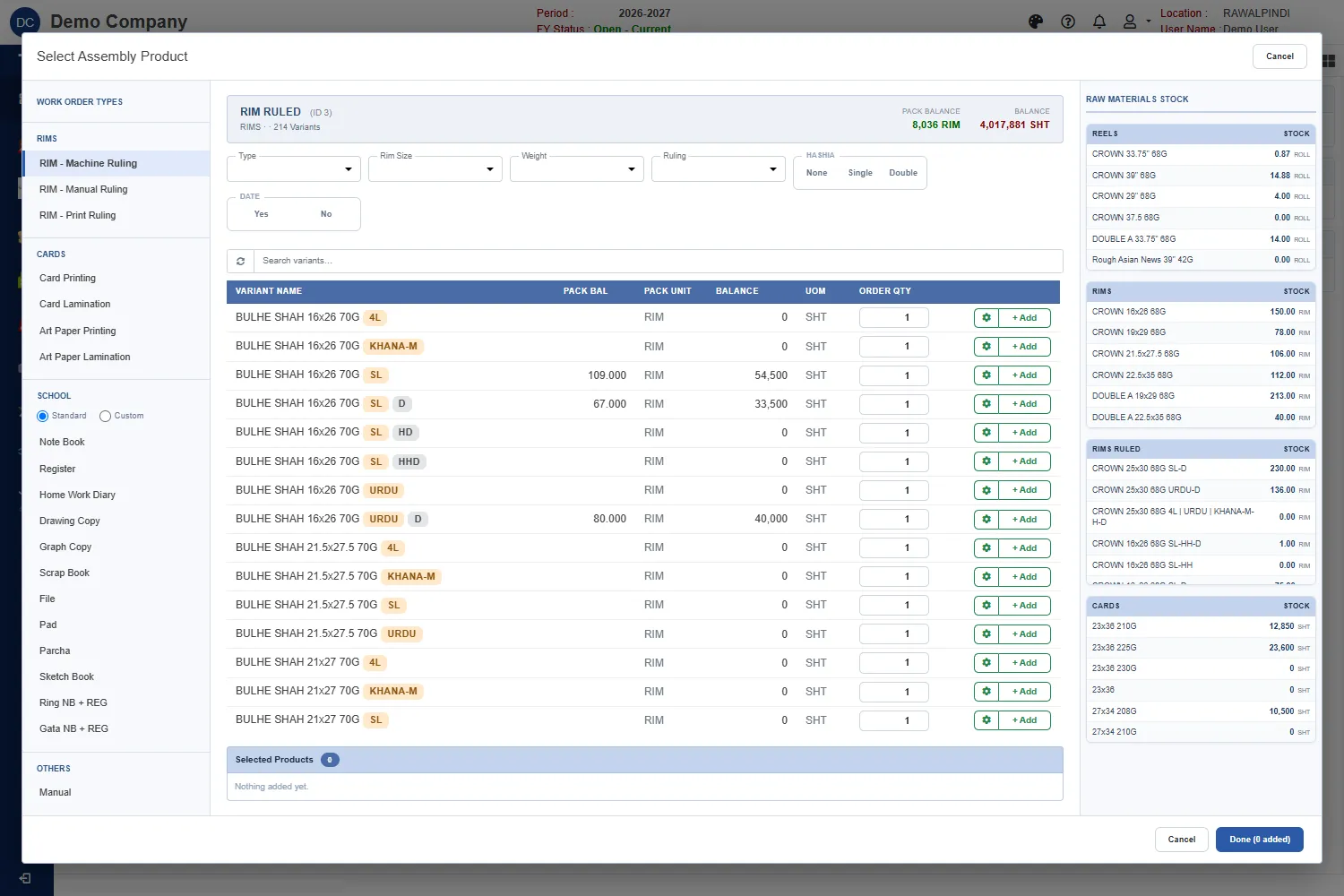
Choosing a rim variant Narrow the variants with Type, Rim Size, Weight, Ruling, Hashia (None, Single or Double) and Date, or type in the search box. The Raw Materials Stock panel on the right shows the reels, rims and cards you hold, so you can see what is available.
Enter the Order qty and click + Add. The green gear opens the variant's options and recipe.
Click Done, then Save.
For a machine ruling order, the quantity you type is reels. The order page turns it into sheets and rims:
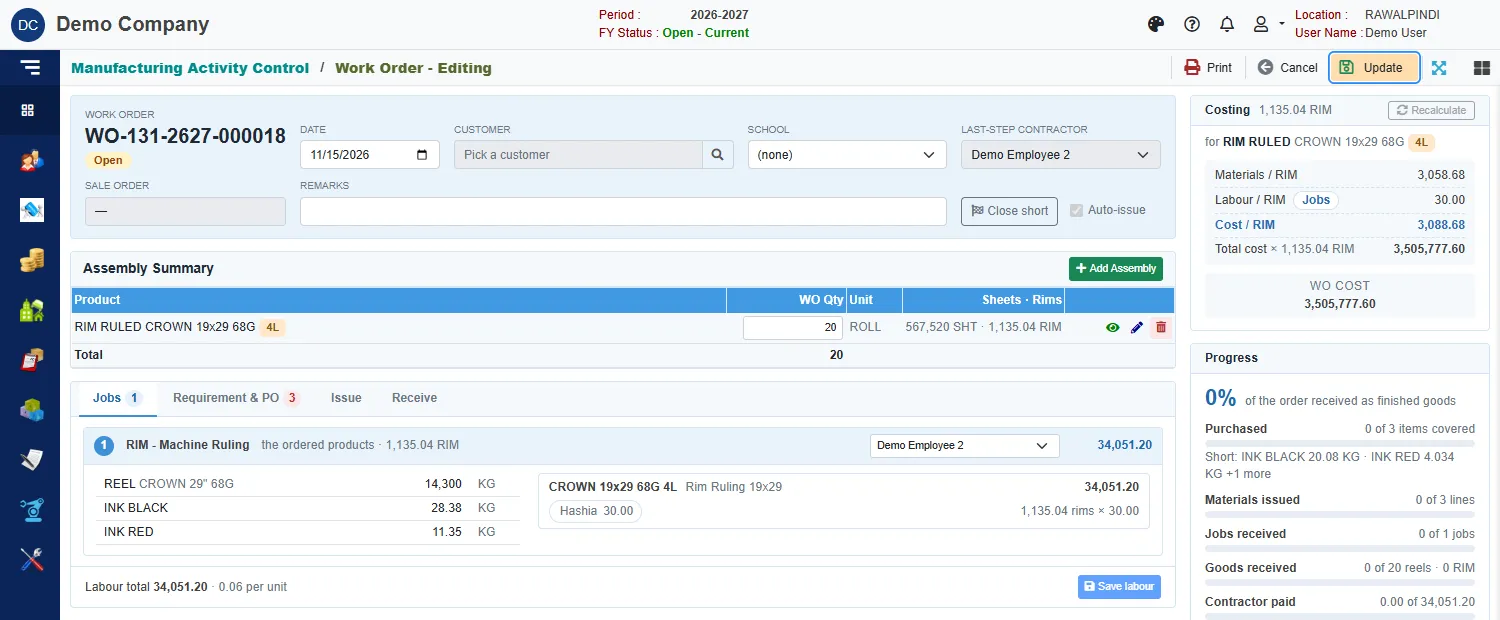
The line above shows 20 ROLL, and 567,520 SHT · 1,135.04 RIM: the cut sheets and the rims they make. The job lists the reel paper and the inks it will use, and the labour is priced per rim, with extras such as Hashia ticked on the rate. See Jobs and labour.
Receive rims reel by reel
Rims are received from the reels that were used, so the receipt asks what the reels actually gave.
Open the Receive tab.
On the line, enter the number of reels and click cut sheets to enter the sheets you actually counted, or click the list button to receive reel by reel.
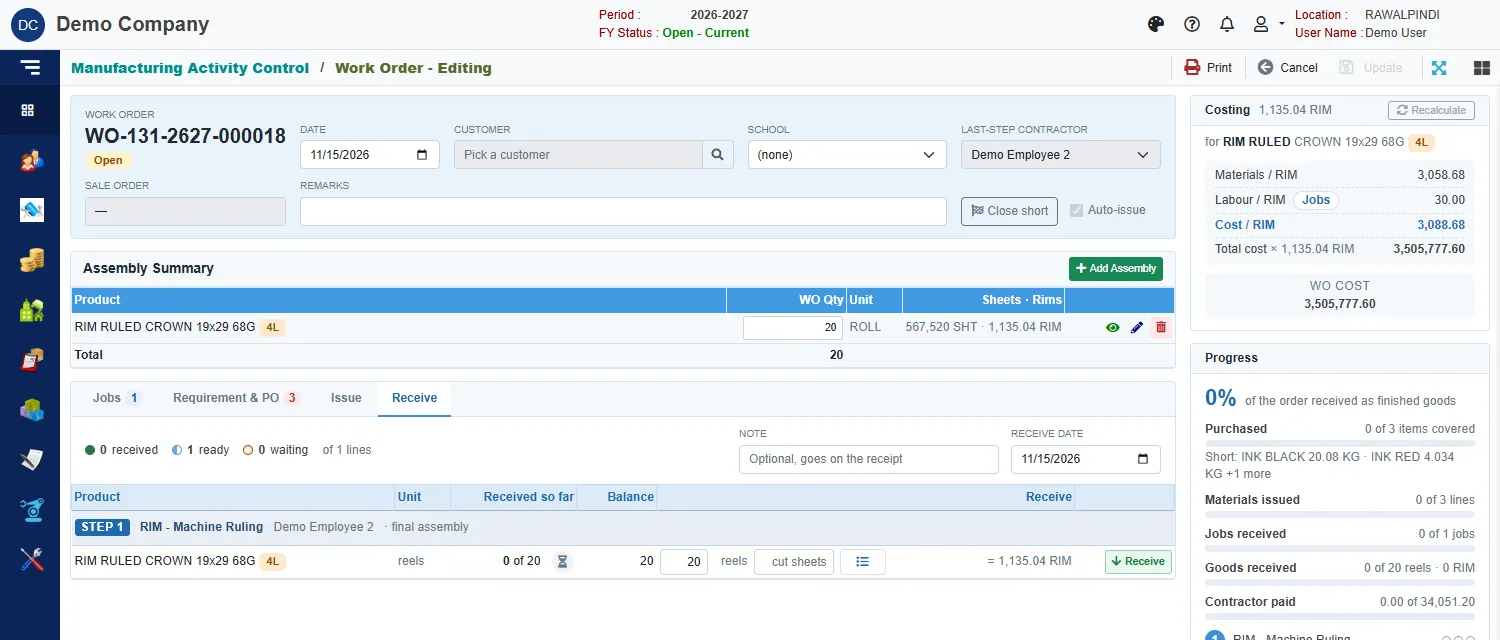
The Receive tab of a rim order In the Reel receive window, pick the Reel no, type its Actual weight in kilograms and its Actual sheets, and click Add reel. Each reel is added to the list with its Expected sheets and the Rims produced.
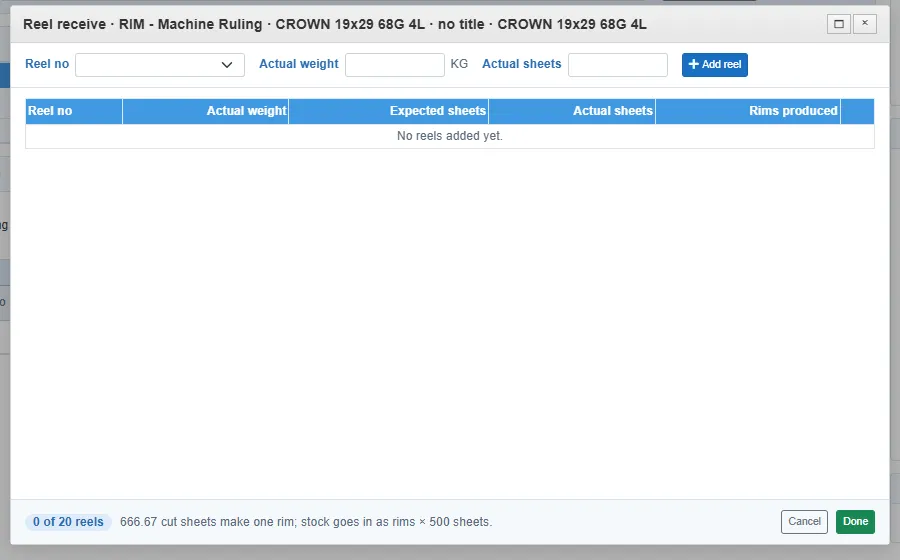
Receiving reels The footer says how many of the ordered reels are in, and how the sheets turn into rims: for example 666.67 cut sheets make one rim; stock goes in as rims × 500 sheets. Click Done.
Click Receive on the line.
The reel paper issued is worked out from the sheets you counted, with 5 kg added for each reel's core. The Progress card then shows the reels received and the rims they made.
Messages you may see
| Message | What to do |
|---|---|
| Enter the actual cut sheets on each line: the reel paper issued is worked out from them. | Enter the counted sheets, or use reel by reel. |
| Enter the reels used on each line. | Type the number of reels. |
| Reels must be a whole number, 1 or more. | A reel is whole. Type 1 or more. |
| …: sheets per roll unknown. Recalculate the line's recipe. | The recipe has no sheets per roll for this paper. Check the recipe. |
Order cards
Pick Card Printing, Card Lamination, Art Paper Printing or Art Paper Lamination. Each title is its own print run, so each title on an order is its own job. A card is printed, then laminated: the printing job hands the printed card to the lamination job when it is received.
Card labour is priced per cover, in slabs of quantity, with a new design slab for a title that has not been printed before and an old design slab for a reprint. See Jobs and labour.