04 — Manufacturing

From materials list to finished goods, with the real cost attached.

Jobs start from a product's recipe, consume stock, produce goods, and carry labour and overhead as they go — so you know what a job cost while it's still running, not a month after it shipped. And a new size never waits on a software change: your own team types its recipe once, in a screen, and every work order uses it.

What you get

Everything Manufacturing does for you.

  • Type a product's recipe once — every step, every material, the step each part comes from — and every work order scales it to the quantity
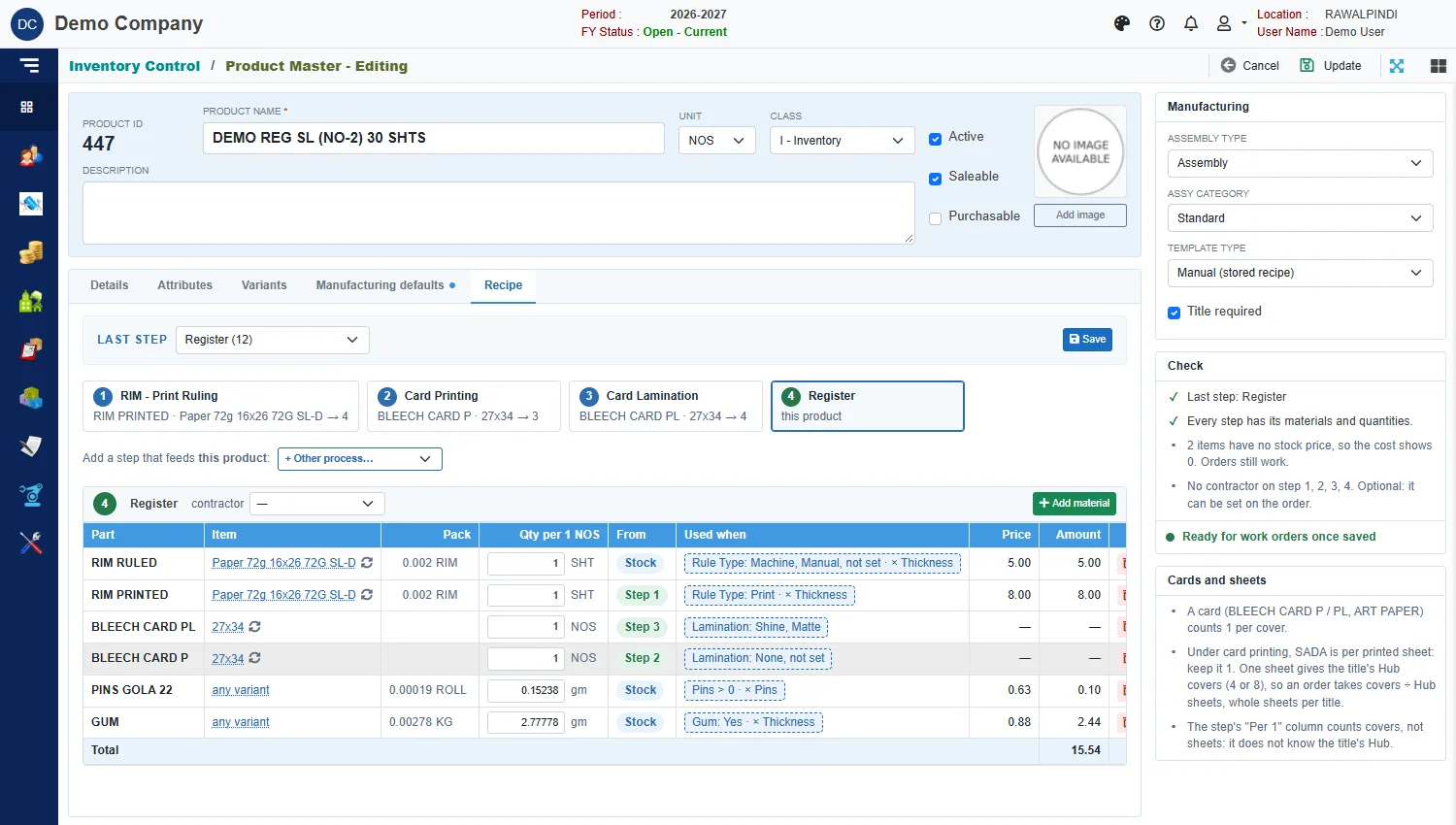
  • Recipe lines carry a "Used when" condition, so one recipe covers printed and plain, shine and matte, with and without pins
  • Start a new product from its spec: the recipe fills itself from the product's own specification, you check it and save
  • Define your own specification fields — paper, weight, lamination, ruling, anything — and choose which show for each order type, product group or product
  • Break a job into sub-assemblies and their costs roll back up into the parent job automatically
  • Different routings and cost structures for each product family
  • Issue material to a job and stock and accounts move with it — no second entry anywhere
  • Receive finished goods into stock at what they actually cost to make, not an estimate
  • Real labour and overhead rates against jobs, from a cost master with a printable rate sheet
  • Labour rates kept as rules you can read and change — by size, by count, by option — with a Try screen to test a rule before an order uses it
  • Standard consumption per unit, so requirements are calculated instead of guessed
  • Paper received by the reel and by weight, with a reel register
  • Pay contractors and piece-rate workers against the specific job they worked, with a payment voucher and labour breakup
  • See what you need to buy or make to finish the orders you're holding
  • One list of every job: open, running, finished, short-closed — and a job card to print for the floor
Form spotlights

The screens that make the difference.

Form spotlight

Product Recipe

Instead of someone remembering that "a 200-page book takes four reams", you type what one unit takes, step by step, once. Each line says when it applies — printed or plain, shine or matte — so one recipe serves every spec, and next year's new size needs nobody's help.
Form spotlight

Work Order

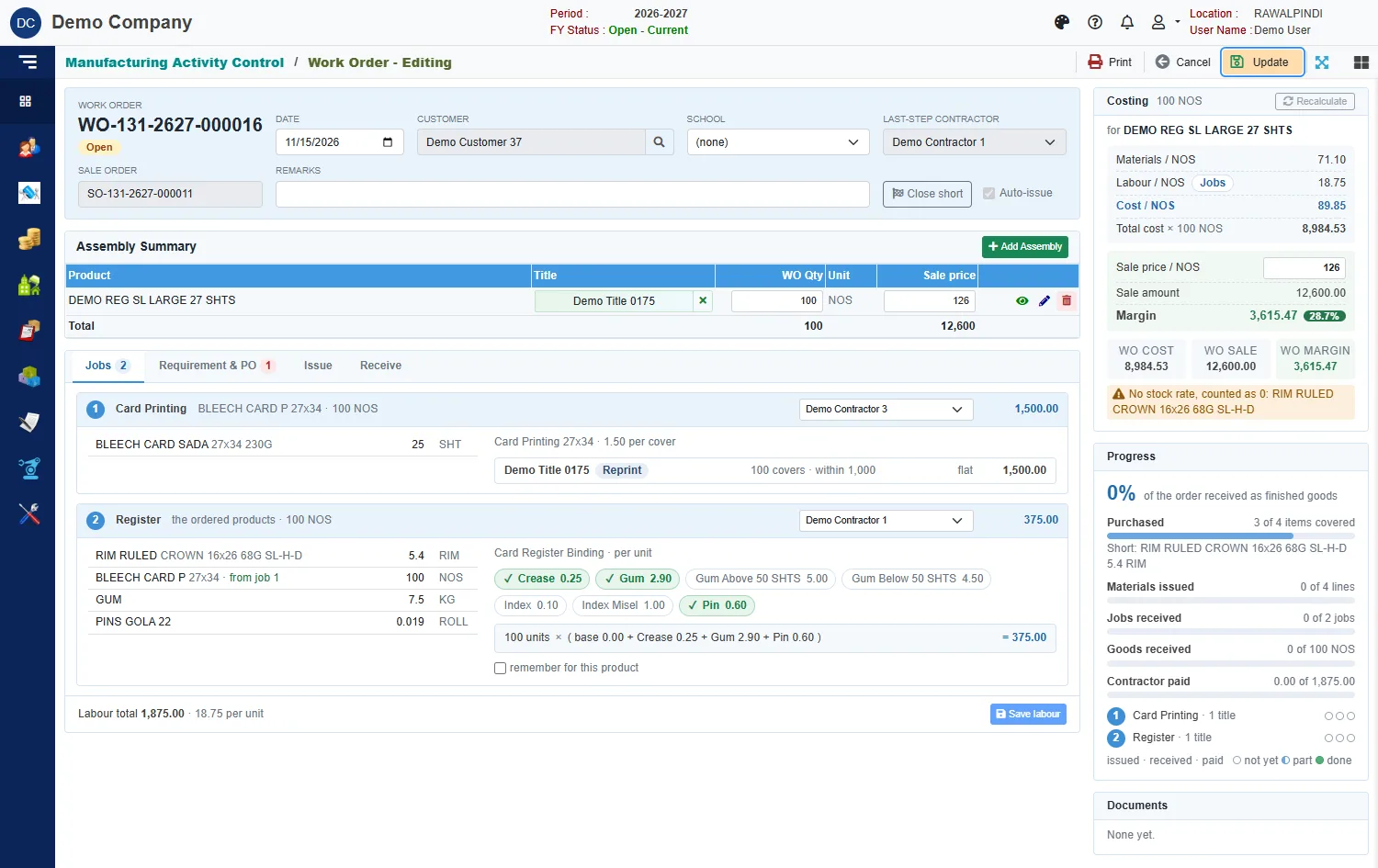
One screen: what the job needs, the jobs it created and who's doing them, what's been issued, what's come back, and the labour it's accumulated. Cost, sale price and margin sit beside it — job profitability while there's still time to do something about it.

See it working with your own numbers.

Bring a month of your real documents to the demo. We will show you the ledger entries they produce, and the reports they land in.