What the General Ledger is
The General Ledger is where every money entry of the company ends up. An entry is a voucher: a set of lines where the total debited equals the total credited. A customer paying you, you paying a supplier, a sale, a purchase and a salary payment are all vouchers.
Some vouchers you enter yourself in this module. The rest are made for you:
| You enter yourself (this module) | Made by another module |
|---|---|
| Cash Vouchers | A sales bill (SB-) and a sales return |
| Bank Vouchers | A purchase bill (PB-) and a purchase return |
| General Journal | A work order receive (WOR-) and a work order payment (WOP-) |
| Debit Note and Credit Note |
You see the second kind in the ledgers and in Voucher Audit, but you change them from the screen that made them, not here.
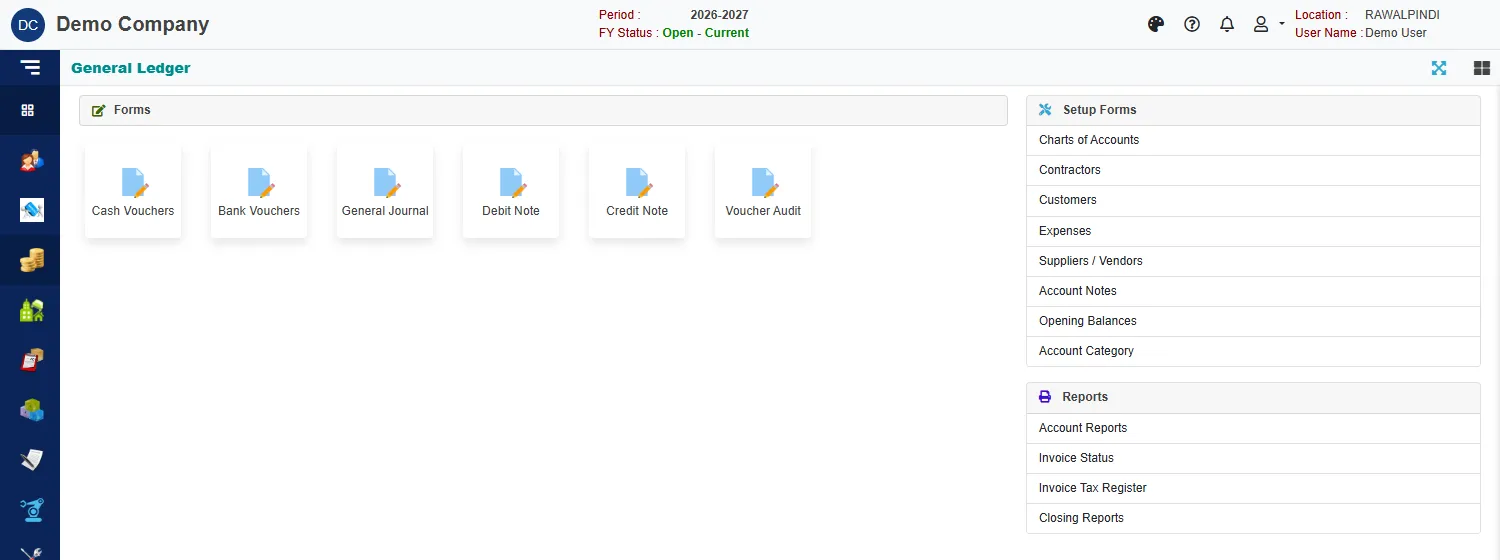
The General Ledger module page
Open General Ledger from the left strip.
| Group | What is in it |
|---|---|
| Forms | Cash Vouchers, Bank Vouchers, General Journal, Debit Note, Credit Note and Voucher Audit. |
| Setup Forms | Charts of Accounts, Contractors, Customers, Expenses, Suppliers / Vendors, Account Notes, Opening Balances and Account Category. See Accounts, Notes and categories and Opening balances. |
| Reports | Account Reports, Invoice Status, Invoice Tax Register and Closing Reports. See Account reports, Invoice status and tax registers and Closing reports. |
From a new company to a report
- Set up the accounts: Accounts, with their notes and categories.
- Enter the opening balances at the start of the year.
- Enter vouchers through the year.
- Read the result in the account reports.
- Before closing the year, run the closing reports to find mistakes.
Numbers you will see
| Prefix | Voucher |
|---|---|
CB- |
Cash voucher |
BB- |
Bank voucher |
JV- |
General journal |
DN- |
Debit note |
CN- |
Credit note |
For example CB-131-2627-000001: the voucher kind, the company (131), the fiscal year (2026-27) and a running number.
Every voucher shows what it will post
On the voucher forms the card GL voucher on save lists the accounts that will be debited (Dr) and credited (Cr) and the amounts, before you save. Check it: it is the quickest way to see that you picked the right accounts.
Posted and not posted
A voucher can go through an approval: a supervisor audits it, and an approver posts it. A posted voucher is locked. See Voucher Audit. If your company has switched on auto-posting for the year, the reports already treat every voucher as posted.
Related
- Lists (index pages) and Entering and changing documents explain the screens every voucher shares.
- Sales: how a sale flows and Purchase: how a purchase flows show where the sales and purchase vouchers come from.