The sales documents
A sale moves through a chain of documents. Each one is made from the one before it, so you never type the same lines twice.
| Step | Document | What it does |
|---|---|---|
| 1 | Quotation | The price you offer a customer. It changes nothing in stock or accounts. |
| 2 | Sales Order | The customer's order. It is what you deliver against. |
| 3 | Delivery Challan | The goods leaving your stock. It takes the stock out. |
| 4 | Material Sales Bill | The invoice. It posts the sale to the customer's account. |
| 5 | Returns and credit notes | Goods or value coming back: a delivery return, a sales return bill or a credit note. |
You do not have to start at the quotation: you can enter a sales order directly.
The Sales module page
Open Sales (Stock) from the left strip.
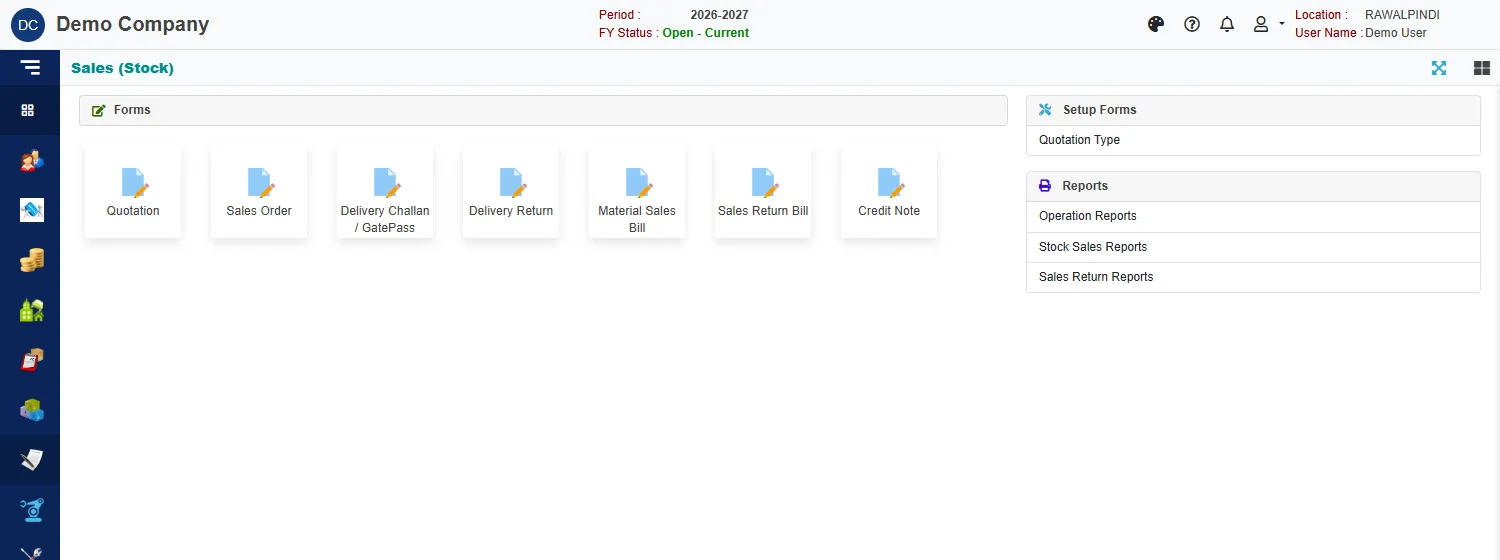
| Group | What is in it |
|---|---|
| Forms | Quotation, Sales Order, Delivery Challan / GatePass, Delivery Return, Material Sales Bill, Sales Return Bill and Credit Note. |
| Setup Forms | Quotation Type: the standard terms a quotation can start from. See Quotation. |
| Reports | Operation Reports, Stock Sales Reports and Sales Return Reports. |
How the documents are linked
Each document remembers where it came from, and the next one is made by picking from it:
- A sales order can be made by copying a quotation. The order's Documents card then names the quotation.
- A delivery challan is made with Add from pending orders. It lists the orders that still have goods to deliver, with what was Ordered, Delivered and what is left (Balance).
- A sales bill is made with Add from pending challans, from challans that are not yet billed. Its Source card names the challan and the order. A challan can also raise its bill when you save it.
- A delivery return is made from delivered challans, and a sales return bill or credit note from sales bills.
Because of this chain, you deliver what is still pending on an order, and you bill what has been delivered and not yet billed.
Numbers you will see
| Prefix | Document |
|---|---|
SQ- |
Quotation |
SO- |
Sales order |
DO- |
Delivery challan |
SIM- |
Material sales bill |
SB- |
The accounting voucher of a sales bill |
For example SIM-131-2627-000001: the document, the company (131), the fiscal year (2026-27) and a running number.
Related
- Lists (index pages) and Entering and changing documents explain the screens every document shares.