What it is for
A quotation is the price you offer a customer. It does not touch stock or accounts. When the customer accepts, you copy it into a sales order instead of typing it again.
Enter a quotation
Go to Sales (Stock) and click Quotation, then the green Add Quotation.
Check the Quotation date. It must fall inside the fiscal year.
Pick the Quotation type if you use one. It fills in the standard terms: see below.
Click the button beside Customer and pick the customer. A click selects a row, a double-click chooses it.
Type a Subject if you want one, and the Description. The description is required.
Click Add products, or type in the product box above the table. In the window, click + Add on each product, then Done.
On each line, enter the Pack qty and the Pack rate. Qty, Rate and Amount are worked out for you. For example 1 drum of glue at 60,000 a drum is 50 kg at 1,200 a kg, 60,000 in all.
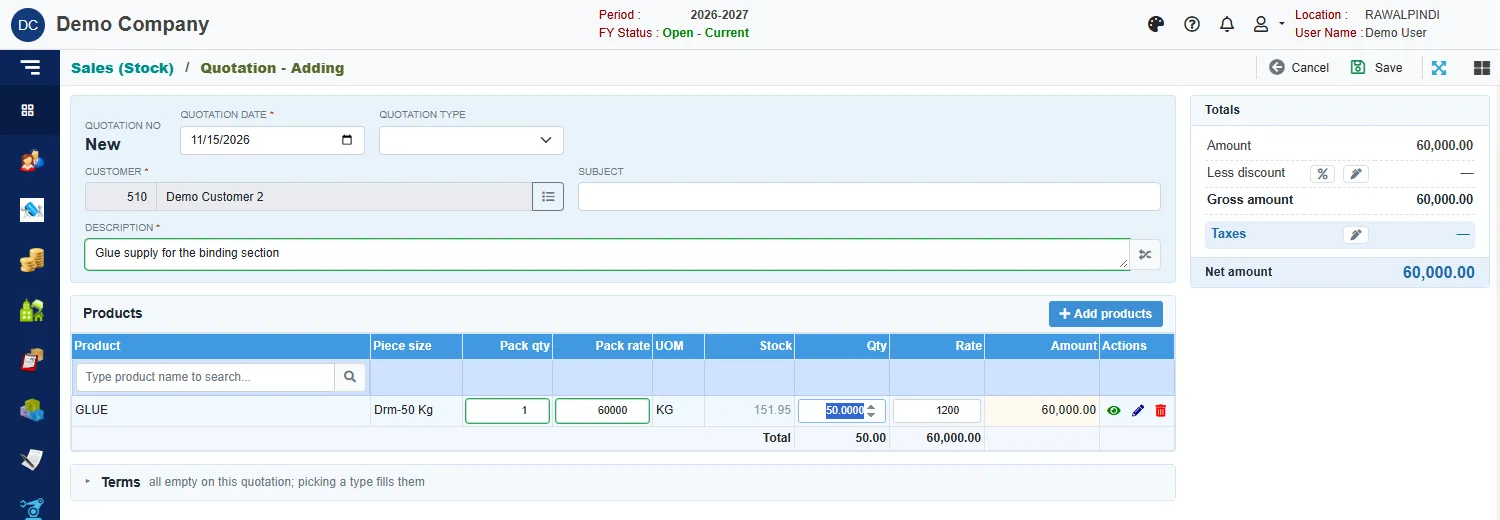
A quotation with one line Open Terms if you need to change the standard terms: GST description, Payment term, Delivery term, Shipment method, Bank account and Additional description.
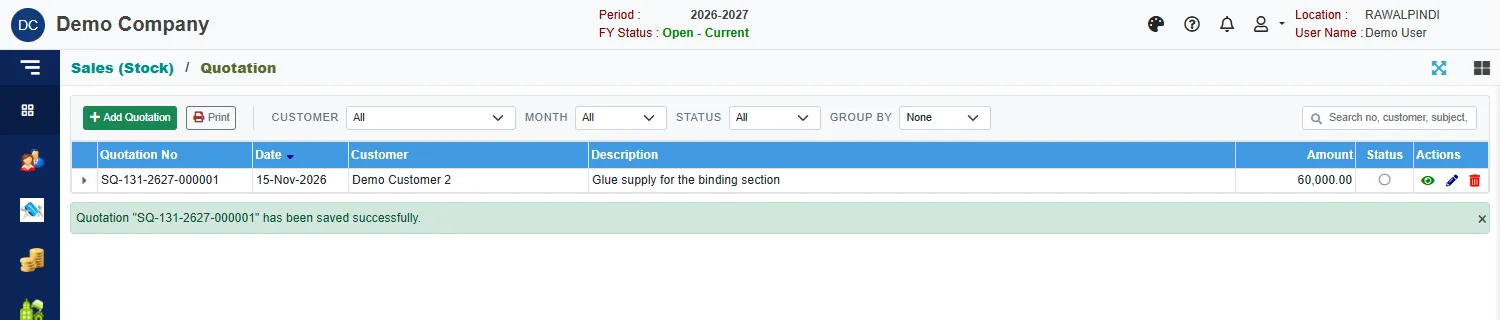
Click Save.
A green message confirms it, for example Quotation "SQ-131-2627-000001" has been saved successfully.
The totals card
Totals adds up the quotation: Amount, Less discount, Gross amount, Taxes and Net amount. Click the % button or the pencil beside a figure to enter a discount or the taxes.
Quotation types
A quotation type holds a set of standard terms, so a new quotation starts with them filled in. Open Quotation Type under Setup Forms.
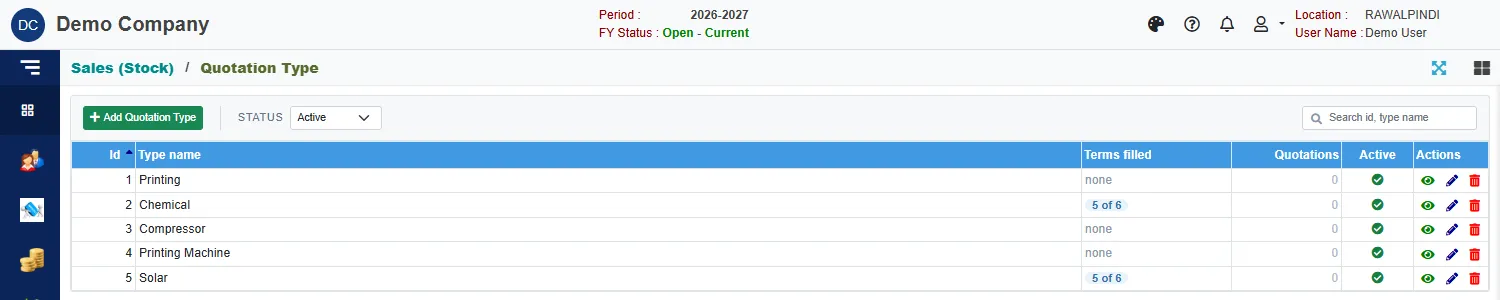
The list shows each type's Type name, how many of its six terms are filled (Terms filled), how many Quotations use it and whether it is Active. In the form, give the Type name (required) and the terms: Payment term, Delivery term, Shipment method, GST description, Bank account and Additional description.
Picking a type on a quotation fills these terms. You can still change them on the quotation.
After the quotation
To order against it, make a sales order and click Copy from quotation. The order's Documents card then shows the quotation, and the quotation shows that a sales order line carries it.