What it is for
A delivery challan (also called a gate pass) records goods leaving your stock for a customer. It is made from a sales order: you pick what you are delivering from the orders that still have something pending.
Saving a challan takes the goods out of the stock room. By default it also raises the sales bill for them.
The list
Open Sales (Stock) and click Delivery Challan / GatePass. The list shows each challan's DC No, date, customer, SO No, Vehicle / by hand, description and Status. Narrow it with Customer, Month, Type, Status and Group by.
Make a challan
Click the green Add Delivery Challan.
A window opens: Add from pending orders. Pick the customer on the left. On the right, the customer's orders are listed with each line's Ordered, Delivered and Balance.
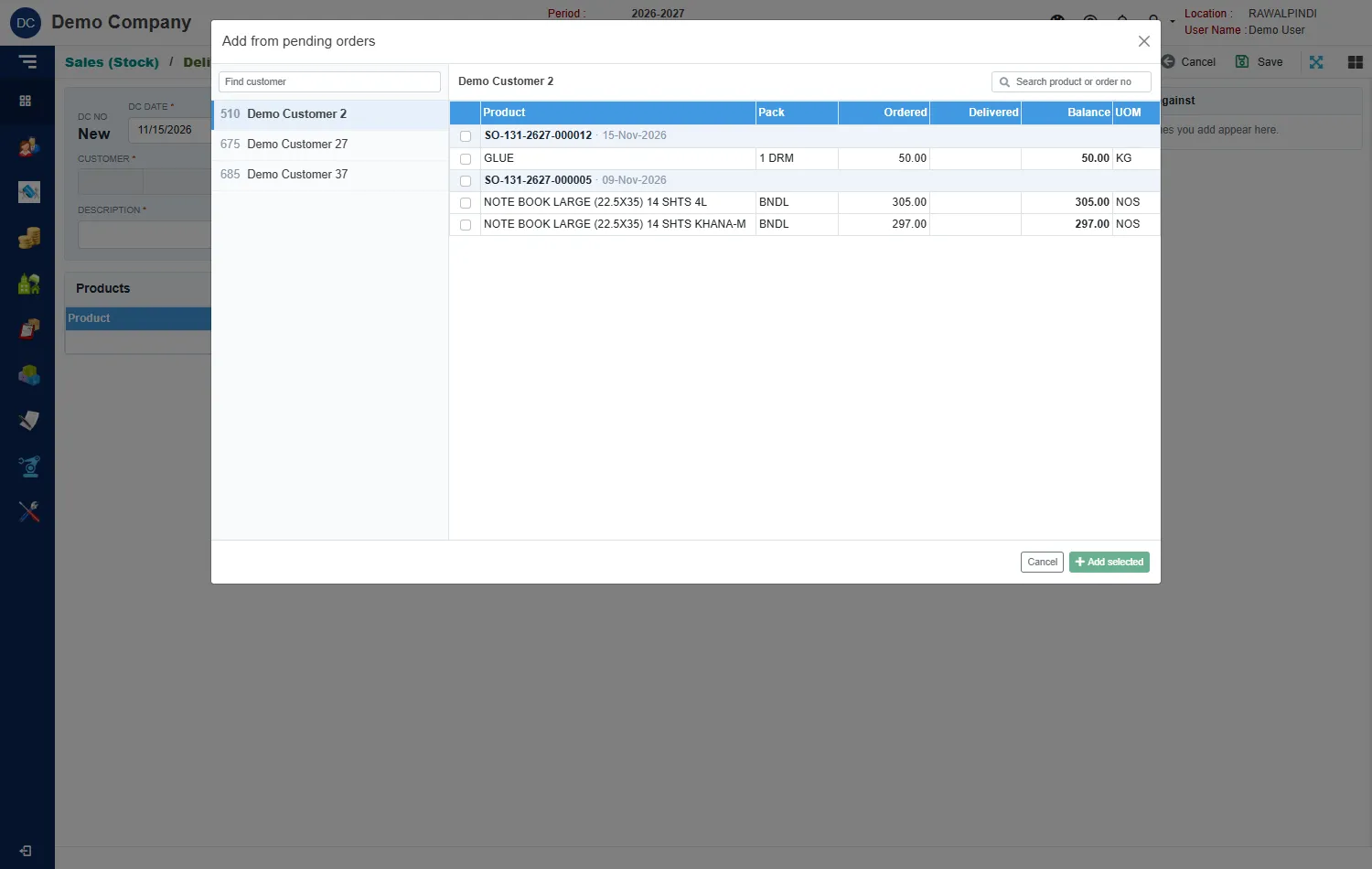
Choosing the order lines to deliver Tick the lines you are delivering now, or the whole order, and click Add selected.
Fill in the header:
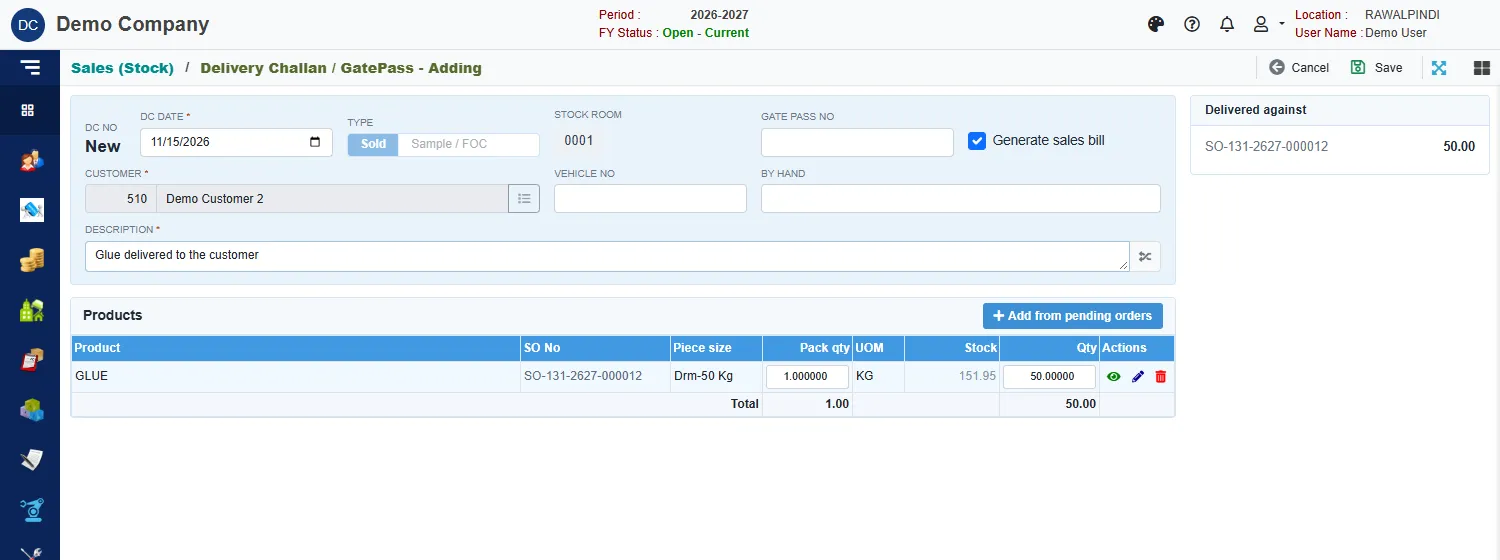
A challan ready to save Field What to enter DC date Required. Inside the fiscal year. Type Sold for a normal delivery, or Sample / FOC for samples and free goods. Stock room Shown for information: the room the goods leave. Gate pass no The gate pass number, if you use one. Generate sales bill Ticked by default. See below. Vehicle no and By hand How the goods are going: the vehicle, or who carries them. Description Required. Check the Qty on each line. It starts at what is still pending, and is capped at the stock available. Hover over the Stock figure to see the stock available to the line: what is on hand plus what this challan already holds.
Click Save.
A green message confirms it and, when a bill was raised, names it: Delivery Challan / GatePass "DO-131-2627-000001" has been saved successfully. | Sales Bill SIM-131-2627-000001 generated.
The Delivered against card on the right lists the orders this challan delivers and how much of each.
Generate sales bill
Generate sales bill raises the Material Sales Bill from the challan when you save it, so delivery and invoice happen together. Untick it if you want to bill later; you can then make the bill by picking this challan on the Material Sales Bill.
Partial deliveries
Deliver part of an order by lowering the Qty on the line. The rest stays pending: the next challan lists it again with the new Delivered and Balance. To stop deliveries on an order, close it on the sales order.
If stock is short
The quantity on a line cannot be more than the stock available. Receive the stock, or deliver less. See Product Receive.