What it is for
The Material Sales Bill is the invoice for goods you have delivered. It is made from delivery challans, charges the customer, and posts the sale to the accounts.
Most bills are raised for you when you save a challan with Generate sales bill ticked. See Delivery Challan. Make one by hand to bill challans you did not bill when you saved them, or to bill several challans together.
The list
Open Sales (Stock) and click Material Sales Bill.
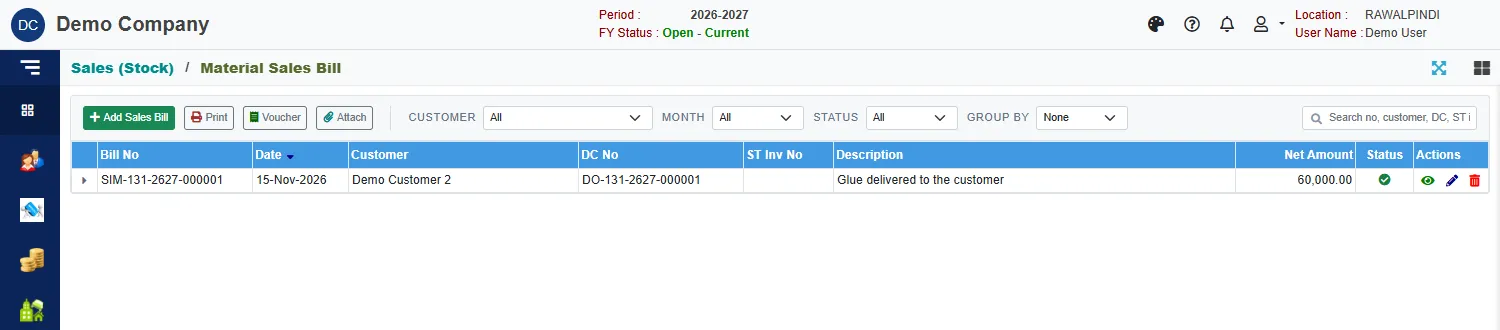
Each row shows the Bill No, date, customer, DC No, ST Inv No (the sales tax invoice number), description, Net Amount and Status. Several signature columns (Entered By, Prepared By, Checked By, Audit By, Approved By, Received By) show who has handled the bill. Use Customer, Month, Status and Group by to narrow the list.
The buttons above the list act on the selected bill: Print, Voucher and Attach.
Make a bill from challans
Click the green Add Sales Bill.
In Add from unbilled challans, pick the customer on the left. Their unbilled challan lines appear with what was Delivered, what is Billed and the Balance.
Tick the lines to bill and click Add selected.
Fill in the header:
Field What to enter Bill date Required. Inside the fiscal year. Bill type The type of bill. Choosing a type sets the taxes that go on the bill. Sales tax inv no and Sales tax inv date The sales tax invoice number and its date, if you issue one. Transfer A tick that marks the bill as a transfer. Leave it clear for an ordinary sale. Customer Filled in from the challan. Sales account Required. The account the sale is credited to, for example SALES (MATERIAL). Description Required. Check the lines. Each shows its DC No, Pack qty, Pack rate, Qty, Rate and Amount.
Click Save.
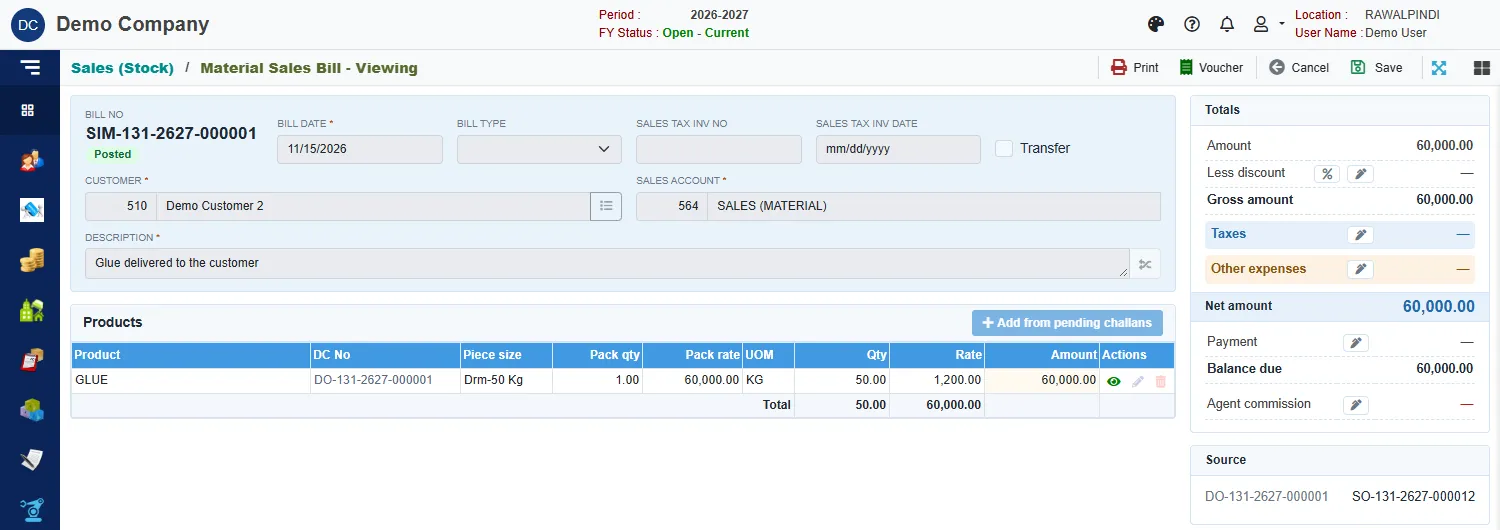
The totals card
| Line | Meaning |
|---|---|
| Amount | The total of the lines. |
| Less discount | A discount. Click % or the pencil to enter it. |
| Gross amount | Amount less discount. |
| Taxes | Sales tax and other taxes. Click the pencil to enter them. |
| Other expenses | Extra charges added to the bill. |
| Net amount | What the customer owes for this bill. |
| Payment | Money received against the bill. Click the pencil to open the payments. |
| Balance due | Net amount less Payment. |
| Agent commission | The agent's commission on the bill. Click the pencil to open it. |
The Source card shows the challan and the order the bill came from.
Commission can't be calculated without net sales means there is no net amount yet to work the commission on. Add the lines first.
The voucher
A saved bill is Posted: it has an accounting voucher, numbered SB- with the bill's number. Select the bill and click Voucher, or click Voucher while you view it.
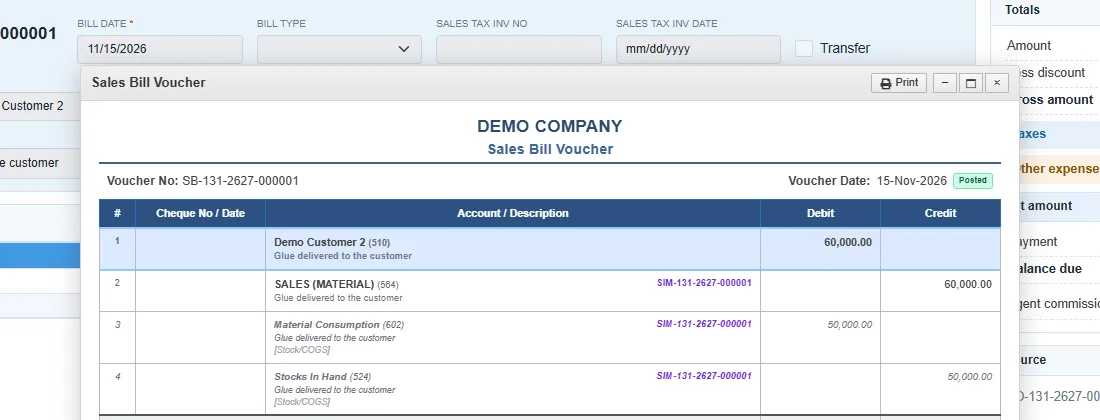
The voucher debits the customer and credits the sales account for the sale. It also records the cost of the goods sold, shown in italics and marked Stock/COGS: it debits the consumption account and credits Stocks In Hand at the product's average cost.
Messages you may see
| Message | What to do |
|---|---|
| Currency is required / Currency Rate is required | The bill is in a foreign currency: pick the currency and enter its rate. |
| Commission can't be calculated without net sales | Add lines before opening the agent commission. |
| Opps! Nothing to save | You have not changed anything. |