What is here
The Reports group on the Sales module page has two report pages with the same layout: Stock Sales Reports (sales) and Sales Return Reports (returns). Pick a report on the left, set the dates and filters, and click Show Report.
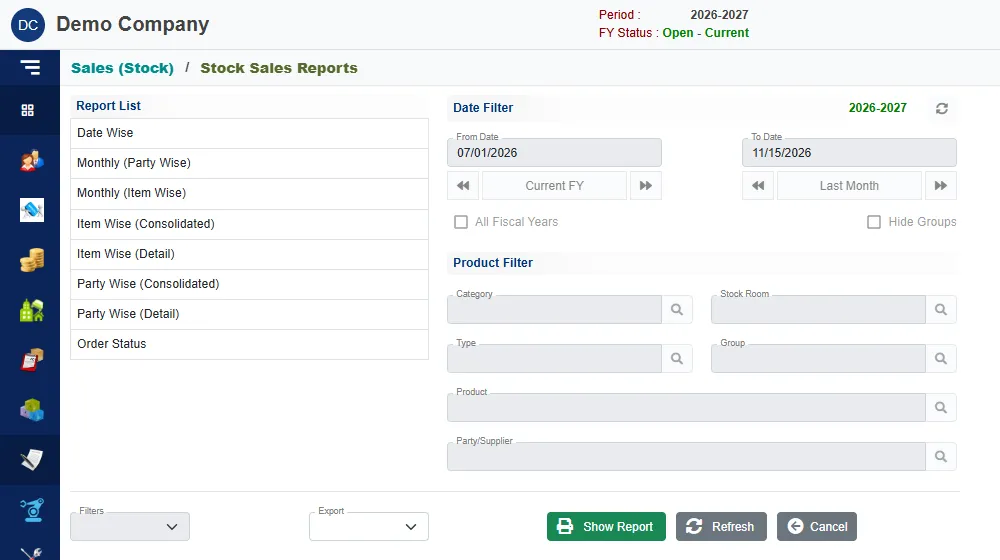
- Date Filter: From Date and To Date. The buttons Current FY and Last Month fill the dates in one click, and the arrows step to the next or previous one. Tick All Fiscal Years to report across years, and Hide Groups to drop the group headings.
- Product Filter: Category, Stock Room, Type, Group, Product and Party/Supplier. Click the search button beside a box to pick a value. Only the boxes the chosen report uses can be filled.
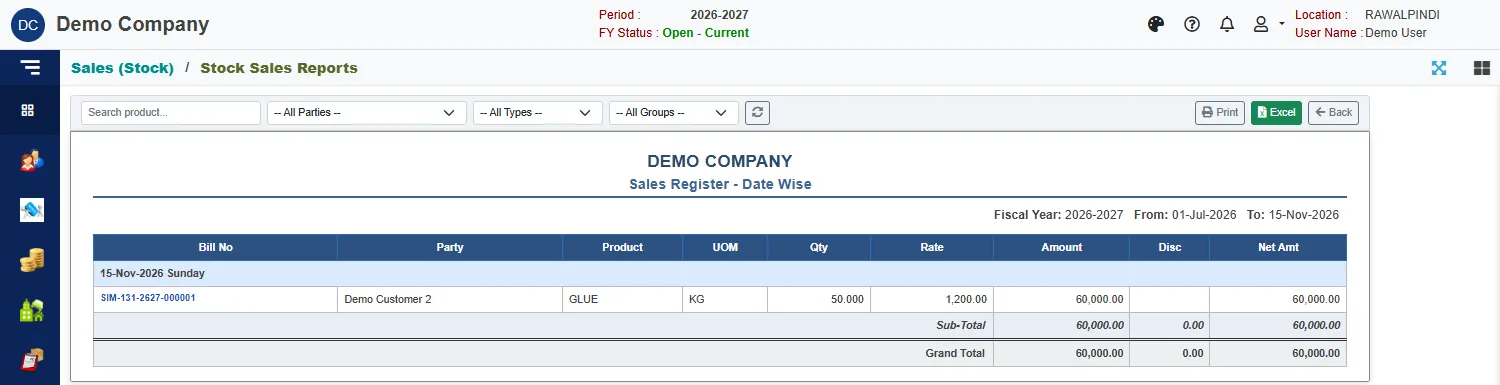
Each report opens on screen with Print, Excel and Back at the top right, and filters to narrow it without going back.
The registers
| Report | What it shows |
|---|---|
| Date Wise | Every bill, grouped by day, with the party, product, quantity, rate, amount, discount and net amount. Each day has a sub-total, and the report ends with a grand total. |
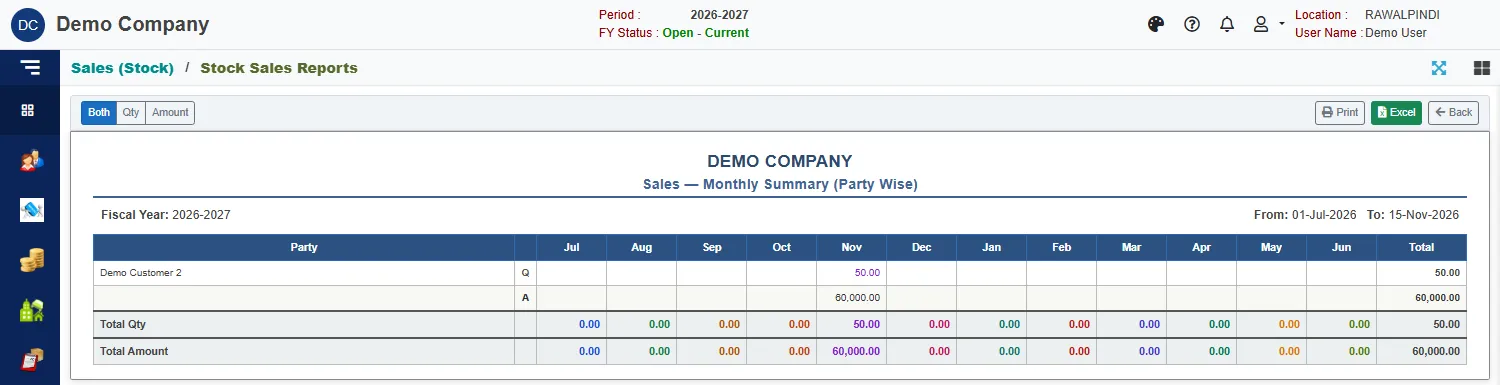
| Monthly (Party Wise) | One row for each party, with its sales in each month of the year and a total. |
| Monthly (Item Wise) | The same, one row for each product. |
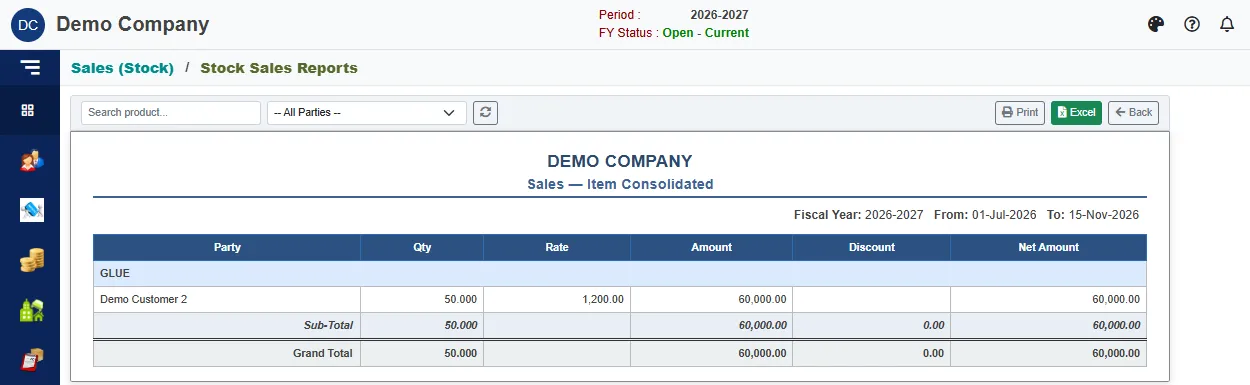
| Item Wise (Consolidated) | Each product with the parties that bought it, and the quantity, amount, discount and net amount. |
| Item Wise (Detail) | Each product with every bill: date, bill number, party and figures. |
| Party Wise (Consolidated) | Each party with the products it bought. |
| Party Wise (Detail) | Each party with every bill: date, bill number, product and figures. |
| Order Status | Each sales order against what has been delivered and billed. See below. |
Monthly reports
The monthly reports show the months from July to June. Use the Both, Qty and Amount buttons above the report to show quantities and amounts together (Q and A rows), or only one of them.
Consolidated reports
Order Status
The order status report shows, for each order line, how much was ordered and how much has gone out.
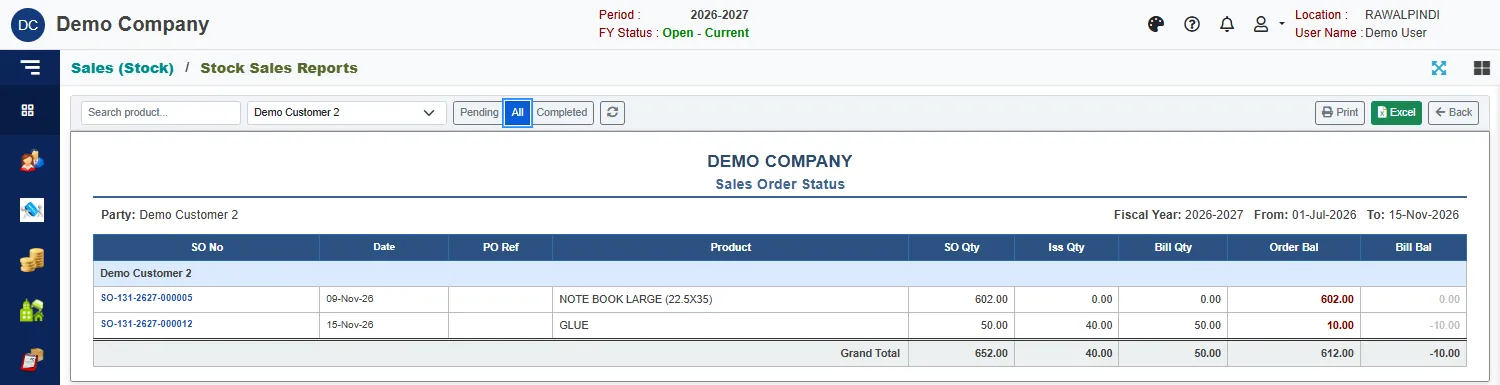
| Column | Meaning |
|---|---|
| SO Qty | The quantity ordered. |
| Iss Qty | The quantity delivered, after any delivery returns. |
| Bill Qty | The quantity billed. |
| Order Bal | Ordered less delivered: what is still to deliver. |
| Bill Bal | Delivered less billed. A minus means more has been billed than is now delivered, for example after a delivery return. |
Use the buttons Pending, All and Completed, and the party box, to choose which orders to list. The report opens on Pending.
Sales Return Reports
Sales Return Reports has the same registers for returns and credit notes: Date Wise, Monthly (Party Wise), Monthly (Item Wise), Item Wise (Detail), Item Wise (Consolidated), Party Wise (Detail) and Party Wise (Consolidated). They read the same way. See Returns and credit notes.