What it is for
A bank voucher records money going out of (a Payment) or coming into (a Receipt) one of your bank accounts. It works like a cash voucher, with two additions: the cheque number and date have a place on every line, and a line can carry tax deducted at source.
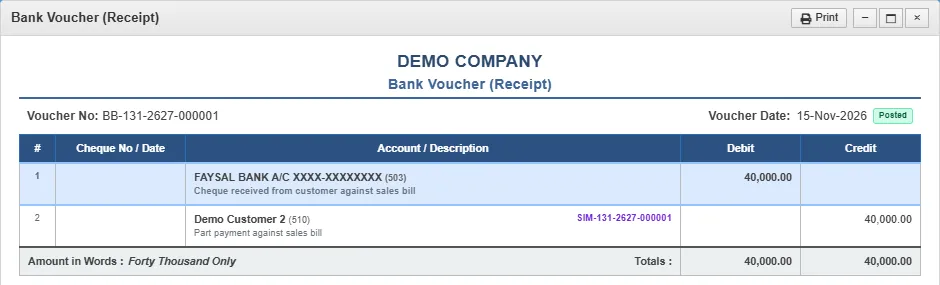
- A receipt debits the bank account and credits the account you received from.
- A payment debits the account you paid and credits the bank account.
The list
Open General Ledger and click Bank Vouchers.
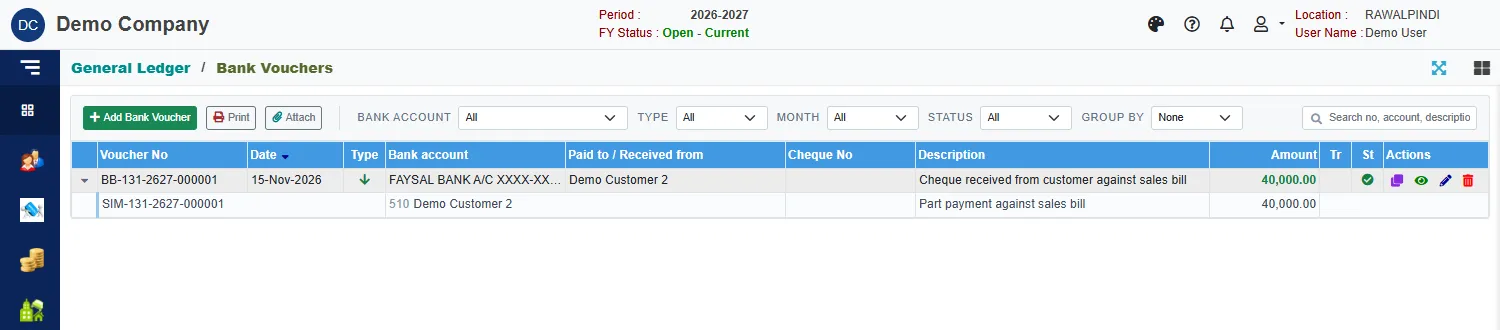
The list is the same as for cash vouchers, with a Bank account filter and a Cheque No column. Click the small arrow at the start of a row to see its lines, with the invoice each one settles.
Enter a bank voucher
Click the green Add Bank Voucher.
Check the Voucher date.
Click Receipt or Payment.
Pick the Bank account.
Type a Description.
Click Add line for each account. In the window, pick the Account, then the Cheque No and Cheque date if there is one. To settle an invoice, click the list button beside Invoice No and pick it.

Picking the invoice a receipt is for Enter the Amount and a Description, then click Ok.
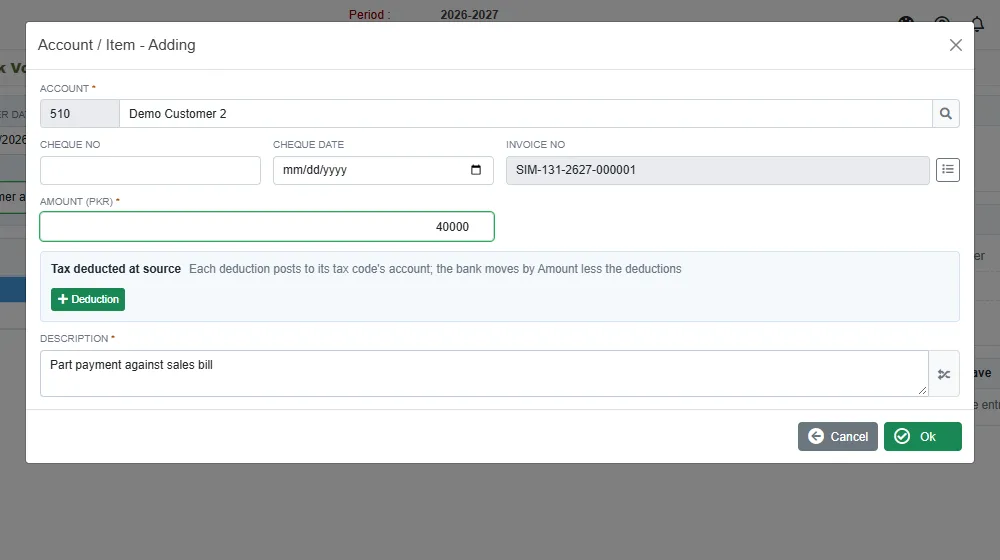
A line for a receipt from a customer Click Save.
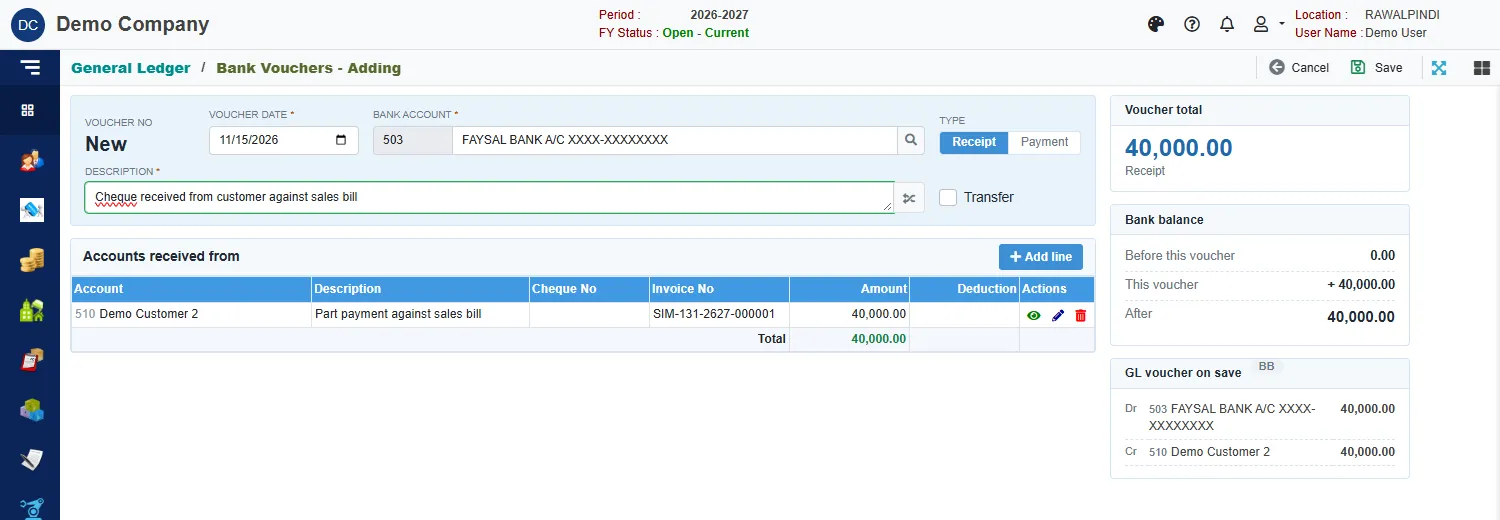
A green message confirms it, for example BB-131-2627-000001.
The cards on the right
- Voucher total with the type of voucher.
- Bank balance: the account's balance on the voucher date, what This voucher adds or takes, and the balance After.
- GL voucher on save: the entry that will be posted. For the receipt above: debit FAYSAL BANK, credit Demo Customer 2, 40,000 each.
Tax deducted at source
When a customer pays you less the tax they have withheld, or you withhold tax from a supplier, put the full invoice amount on the line and record the tax as a deduction. The bank moves by the amount less the deductions, and each deduction is posted to its tax account.
- In the line window, click the green + Deduction under Tax deducted at source.
- Choose the Tax code. The amount the tax is worked on and the rate fill in, and the deduction is worked out. You can change the figures.
- Add another deduction for a second tax, or click the x to remove one. Remarks explains the deduction.
The column Deduction on the lines shows the total for each line.
If the button is greyed, there is no active withholding tax code for this kind of voucher. Ask your administrator to set one up.
Messages you may see
| Message | What to do |
|---|---|
| Account/Item is required | A line has no account. |
| Amount must be greater than zero | Enter the amount on the line. |
| A deduction cannot be negative | Correct the deduction amount. |
| Deductions must be less than the line amount | The deductions are as much as the whole line. Lower them. |
| Currency is required / Currency Rate is required | The line is in a foreign currency: pick the currency and enter its rate. |
| Opps! Nothing to save | You have not changed anything. |
| Voucher … is posted … Ask the approver to un-post it | The voucher is posted and locked. See Voucher Audit. |
Print a voucher
Select the voucher and click Print. The window shows the bank account and the accounts debited and credited, with the cheque numbers, the total in words and the Posted mark.