Invoice status
These reports answer "has this customer paid this invoice?" and "have we paid this bill?". Open General Ledger, then Invoice Status under Reports.
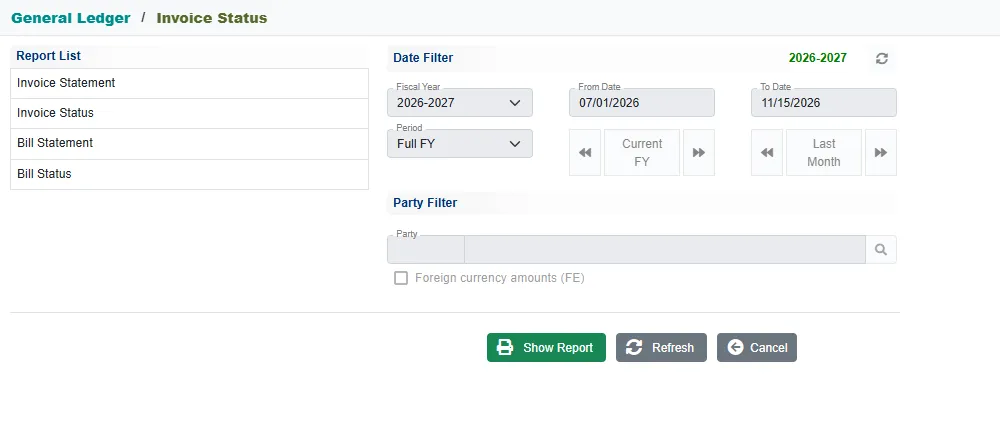
| Report | For | What it shows |
|---|---|---|
| Invoice Status | A customer | Each invoice with what was invoiced, received, credited and adjusted, and the balance. |
| Invoice Statement | A customer | Each invoice with every document that touched it, in order. |
| Bill Status | A supplier | The same as Invoice Status, for purchase bills. |
| Bill Statement | A supplier | The same as Invoice Statement, for purchase bills. |
Run a report
- Click the report.
- Set the dates (the Period and the arrows work as on the account reports).
- In Party Filter, use the search button to pick the Customer (or Supplier). Leave it empty for every party.
- Tick Foreign currency amounts (FE) if you want the figures in the foreign currency.
- Click Show Report.
Above the report, Show picks which invoices to list: Open (the default), Settled or All. Change it and the report refreshes.
Invoice Status
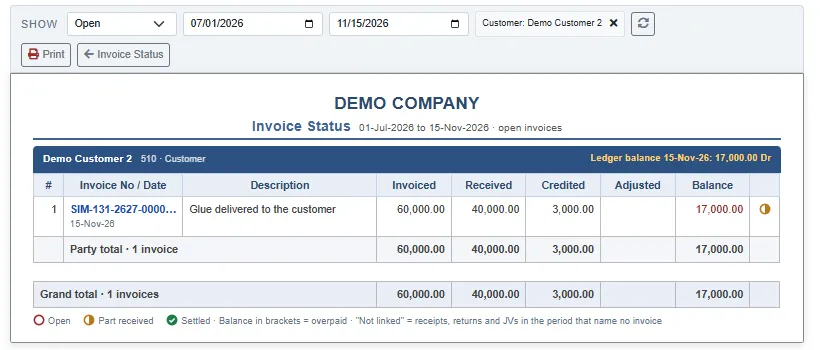
Each party has a heading with the Ledger balance on the last day of the report. Each invoice has a row:
| Column | Meaning |
|---|---|
| Invoiced | The amount of the invoice. |
| Received | Money received against it. |
| Credited | Credit notes against it. |
| Adjusted | Journal entries that settle part of it. |
| Balance | What is still open. A balance in brackets means the party has paid too much. |
The last column is a symbol: an empty circle for open, a half circle for part received, and a green tick for settled.
For a supplier's bills, the columns are Billed, Paid, Debited and Adjusted.
Invoice Statement
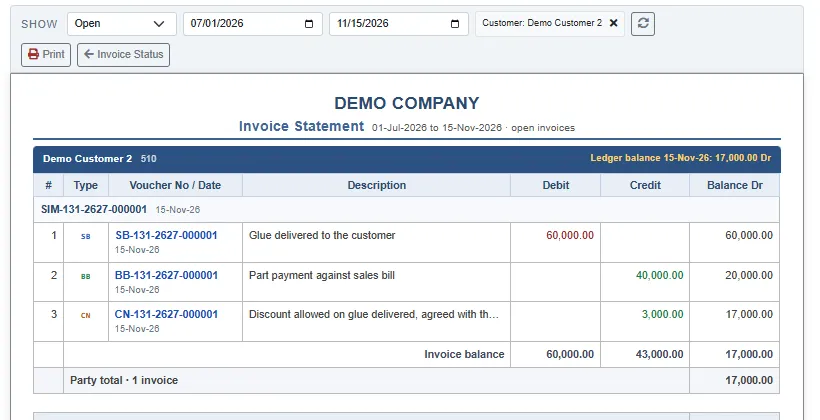
Each invoice is a block, with the documents that touched it one under the other: the sales bill, the receipt, the credit note. It shows how the balance came about.
Why an invoice shows as unpaid
A receipt, credit note or journal reduces an invoice only if the line names the invoice (the Invoice No on the voucher line). A receipt that names no invoice still reduces the customer's ledger balance, but the report lists it under Not linked, and the invoices stay open. When you receive a payment, pick the invoice it is for. See Cash Vouchers and Bank Vouchers.
Invoice tax registers
Open General Ledger, then Invoice Tax Register.
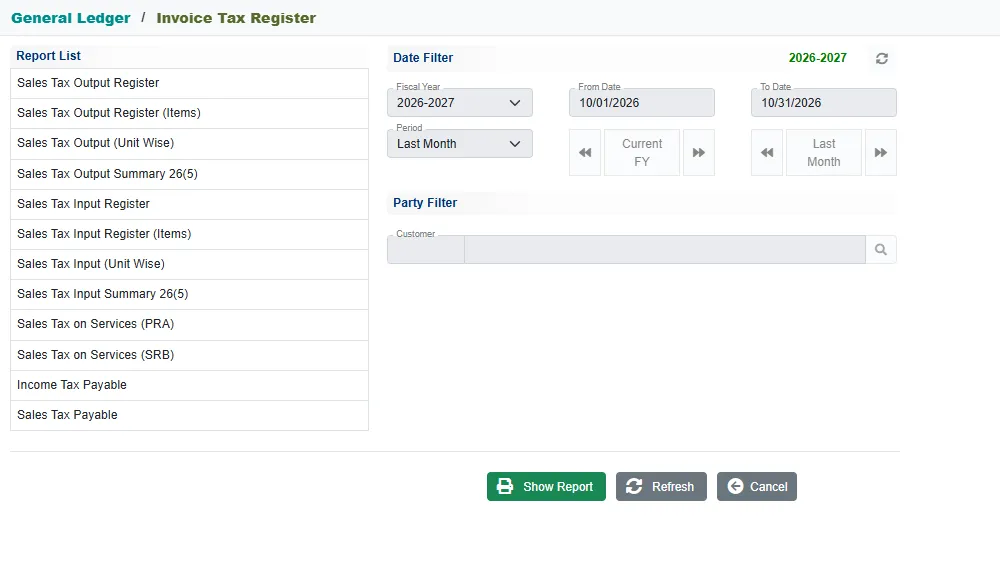
| Report | What it shows |
|---|---|
| Sales Tax Output Register | The sales tax charged on your sales, invoice by invoice. |
| Sales Tax Output Register (Items) | The same, with the items on each invoice. |
| Sales Tax Output (Unit Wise) | The same register, laid out unit wise. |
| Sales Tax Output Summary 26(5) | The summary of output tax. |
| Sales Tax Input Register and its (Items), (Unit Wise) and Summary 26(5) versions | The same for the sales tax you paid on purchases. |
| Sales Tax on Services (PRA) and (SRB) | The sales tax on services, one report for each provincial authority. |
| Income Tax Payable | The income tax you owe, from the deductions at source. |
| Sales Tax Payable | The sales tax you owe. |
To run one, click the report, pick the Period (it starts on Last Month), and click Show Report. For the registers you can pick one party in Party Filter. The register opens for the period, with arrows to move to the previous or next month. It carries your Sales Tax Reg No and NTN, and Print prints it.
A register says No tax invoices in this period when there were none.
If a payable report is empty although you have purchase bills, check the Transfer tick on the bills: the payable reports count the bills with it ticked.
Related
- Debit Note and Credit Note
- Account reports
- Sales Bill and Purchase Bill are where the tax is entered.