Which one to use
| Note | For | It posts |
|---|---|---|
| Debit Note | A supplier. You owe them less: a price correction, a discount they agree to give. | Debit the supplier, credit Purchase Return. |
| Credit Note | A customer. They owe you less: a discount you allow, a price correction. | Debit Sales Return, credit the customer. |
Both are accounts-only vouchers. They do not change stock. To send goods back to a supplier, use a purchase return; for goods a customer sends back, use a sales return. Those take the goods in or out of stock and post their own vouchers.
The list
Open General Ledger and click Debit Note or Credit Note.
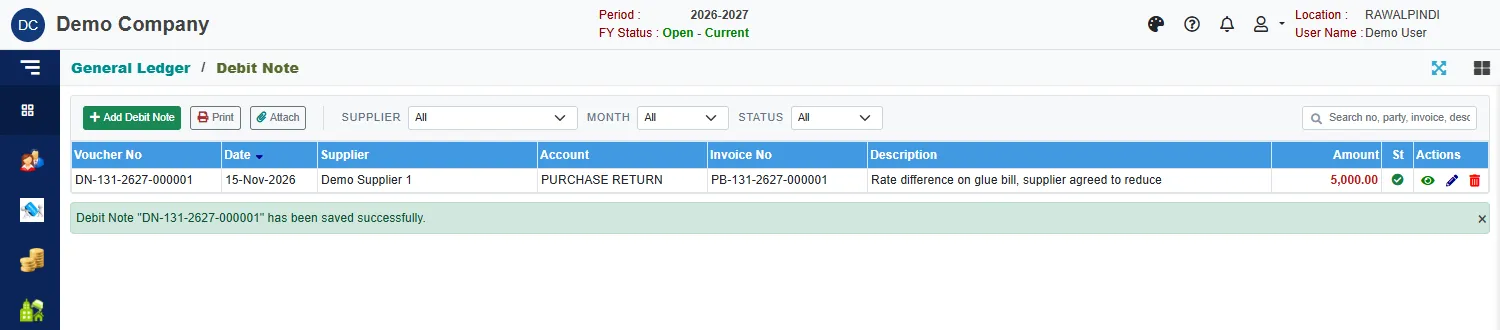
Each row shows the Voucher No, date, the supplier (or customer), the Account, the Invoice No it is against, the description and the amount. Narrow the list with the Supplier (or Customer), Month and Status. Print and Attach act on the selected note.
Enter a debit note
Click the green Add Debit Note.
Check the Voucher date.
Pick the Supplier: type in the box, or use the search button.
Click the list button beside Against invoice. The window shows the supplier's open bills with what was Billed, Paid, Debited and Adjusted, and the Balance.

Choosing the bill the note is against Click the bill and Ok. The invoice date and the amount fill in. The amount starts at the bill's balance: lower it to the amount of the note.
Check the Description. It starts as the bill's description. Write what the note is for.
Click Save.
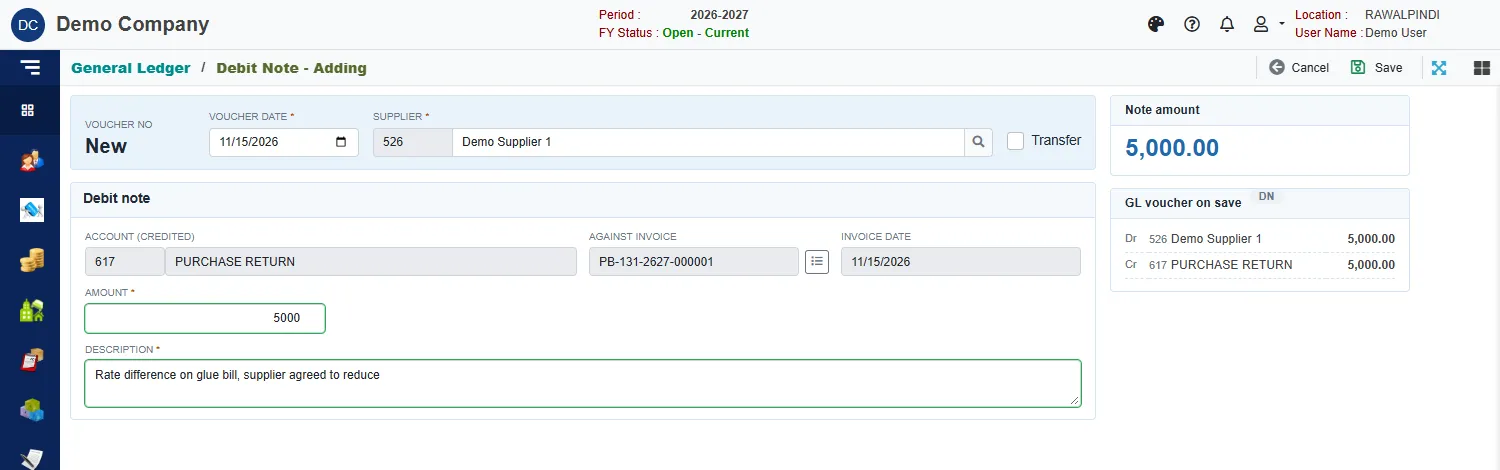
A green message confirms it, for example DN-131-2627-000001.
The Account (credited) is fixed at PURCHASE RETURN and cannot be changed here. The cards on the right show the Note amount and the GL voucher on save.
Enter a credit note
It is the same, with a Customer, the account fixed at SALES RETURN, and the open invoices of that customer.
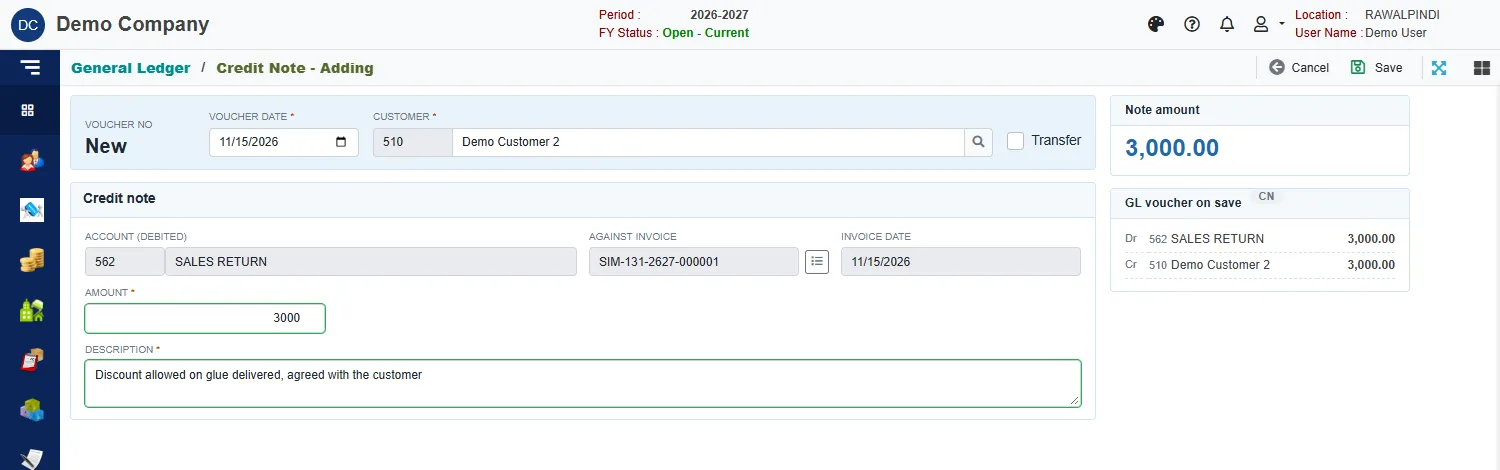
The number starts with CN-, for example CN-131-2627-000001.
What it does to the invoice
Naming the invoice on the note is what reduces its balance. In the invoice status reports the amount shows in the Debited column for a bill and the Credited column for an invoice. In the example, the invoice of 60,000 shows 40,000 received and 3,000 credited, leaving 17,000.
Messages you may see
| Message | What to do |
|---|---|
| Supplier is required / Customer is required | Pick the party before saving. |
| Account/Item is required | The note has no account. Pick the party again. |
| Amount must be greater than zero | Enter the amount of the note. |
| Currency is required / Currency Rate is required | The note is in a foreign currency: pick the currency and enter its rate. |
| Opps! Nothing to save | You have not changed anything. |
| Voucher … is posted … Ask the approver to un-post it | The note is posted and locked. See Voucher Audit. |
Related
- Returns and debit notes in Purchase, and Returns and credit notes in Sales
- General Journal
- General Ledger: how the accounts work