What it is for
A general journal voucher moves an amount from one account to another without cash or bank. You choose the accounts and the side of each yourself. Typical uses are recording an expense you have been billed for but not paid, correcting a wrong account, moving a balance, and writing off a small balance on an invoice.
Every journal must balance: the total debit must equal the total credit.
The list
Open General Ledger and click General Journal. The list works like the cash voucher list: open the lines with the small arrow, and use Print, Clone, View, Edit and Delete. Narrow it with Currency, Month and Status, or search for a voucher.
Enter a journal
Click the green Add Journal Voucher.
Check the Voucher date and type a Description.
Click Add line for each account. In the window:
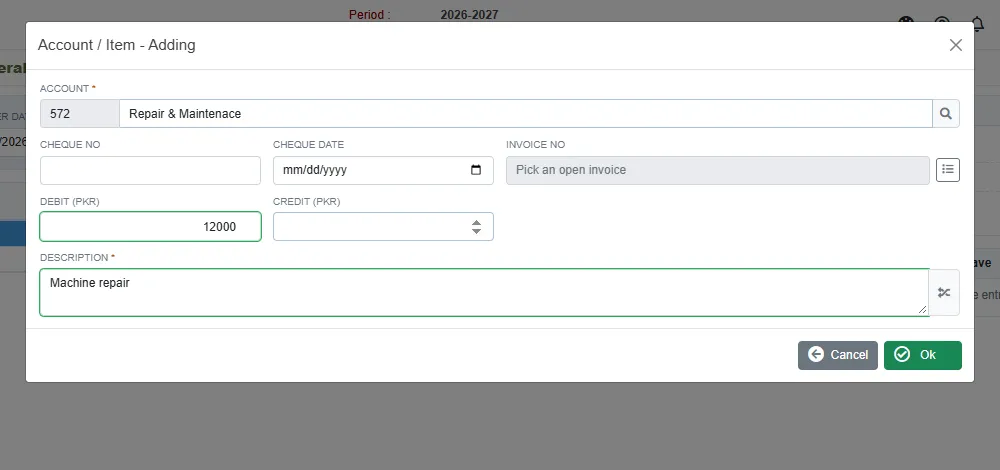
A debit line of a journal Field What to enter Account Required. Cheque No and Cheque date Only if they apply. Invoice No Click the list button to name an open invoice of this account. Do it when the journal settles that invoice. Debit or Credit The amount, on one side only. Description Required. Click Ok. Add the other side the same way.
Click Save when Difference reads 0.00.
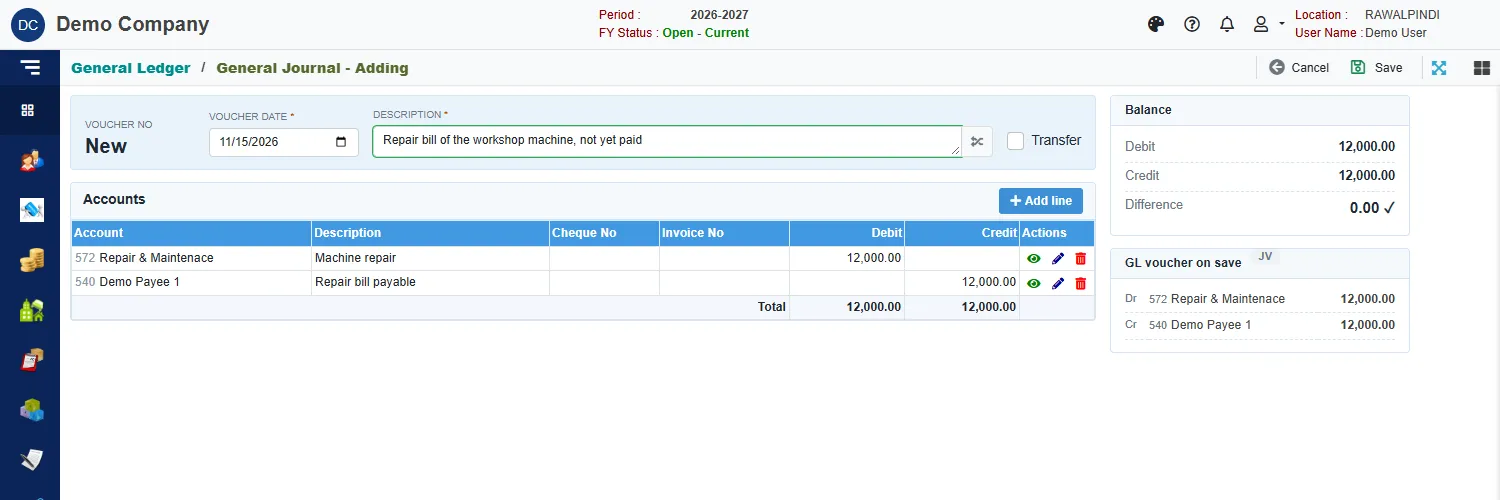
A green message confirms it, for example JV-131-2627-000001.
In this example the machine repair is debited to Repair & Maintenace and credited to Demo Payee 1, who is owed 12,000 until the bill is paid.
The cards on the right
- Balance: the total Debit and Credit and the Difference. A tick shows when they are equal.
- GL voucher on save: the entry that will be posted.
Rules
- A line has a debit or a credit, never both.
- Picking an invoice puts its balance in the Debit box. If the line should be a credit, clear it and type the amount in Credit.
- The voucher cannot be saved until the total debit and the total credit are equal.
Messages you may see
| Message | What to do |
|---|---|
| Debit and Credit amount must be equal | Look at Difference and add or correct a line. |
| Debit or Credit is required | A line has no amount. |
| Only Debit is required / Only Credit is required | A line has an amount on both sides. Keep one. |
| Account/Item is required | A line has no account. |
| Currency is required / Currency Rate is required | The line is in a foreign currency: pick the currency and enter its rate. |
| Voucher … is posted … Ask the approver to un-post it | The voucher is posted and locked. See Voucher Audit. |