Which one to use
| Document | Use it when | Stock | Accounts |
|---|---|---|---|
| Purchase Return | You send billed goods back to the supplier. | The goods come out of stock. | Posts a voucher and reduces what you owe. |
| Debit Note | You reduce what you owe without sending goods back, for example a price correction. | Not changed. | Posts a voucher and reduces what you owe. |
Both are made from the supplier's purchase bills, so you can only return what was billed.
Make a purchase return
Open Purchase and click Purchase Return.
Click the green Add Purchase Return.
Click the button beside Supplier. The window Add from purchase bills opens. Pick the supplier. Their billed lines appear with what was Purchased, what has been Returned and the Balance that can still go back.
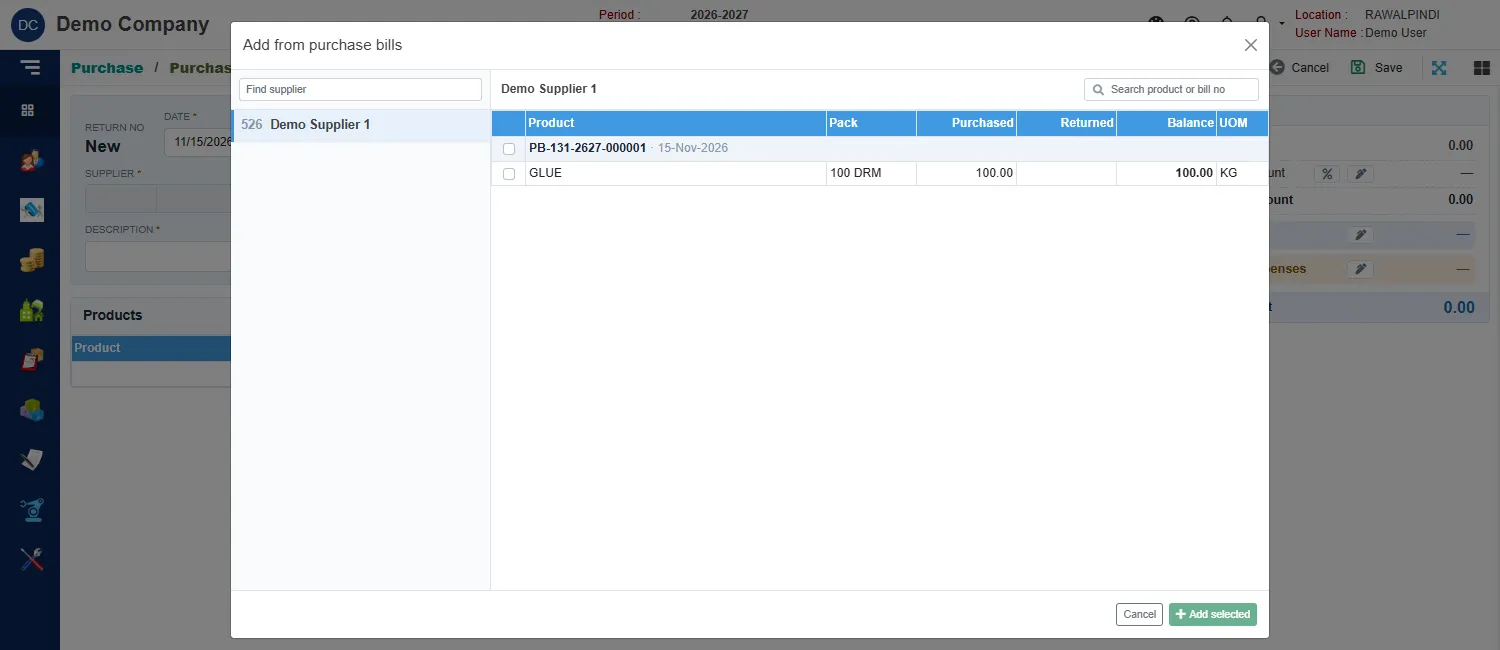
Choosing the bill lines to return Tick the lines going back and click Add selected.
Fill in the header:
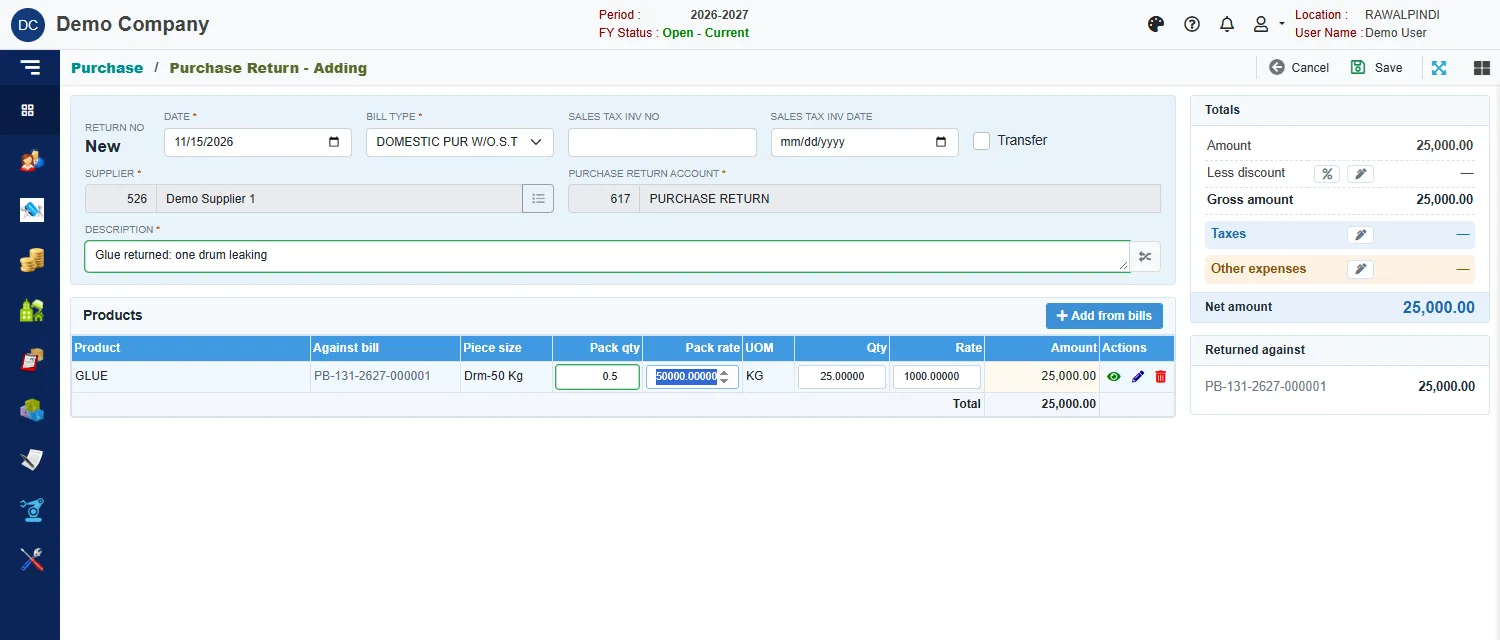
A purchase return ready to save Field What to enter Date Required. Inside the fiscal year. Bill type Required. As on the bill. Sales tax inv no and Sales tax inv date The sales tax document for the return, if any. Transfer A tick that marks the document as a transfer. Supplier Filled in from the bills. Purchase return account Required. It starts on PURCHASE RETURN. Description Required. On each line, lower the Pack qty to the amount going back. The line shows the bill it is Against.
Click Save.
A green message confirms it, for example PR-131-2627-000001. The list shows the Against bill and a Voucher.
What a purchase return does
- It takes the returned quantity out of stock. Returning 0.5 of a 50 kg drum takes 25 kg out.
- It posts an accounting voucher that reduces the supplier's balance.
- It is refused if taking the goods out would leave the stock below zero at any later date.
Debit Note
Open Purchase and click Debit Note. It works like the purchase return: it is made from bills in the same way and numbered DN-. The difference is that a debit note does not change stock. Use it for a price or quantity correction on a bill without returning goods.
Messages you may see
| Message | What to do |
|---|---|
| Currency is required / Currency Rate is required | The document is in a foreign currency: pick the currency and enter its rate. |
| Negative stock … | The return would leave stock below zero from some date. Return less, or fix the later documents. |
| Opps! Nothing to save | You have not changed anything. |
Related
- Purchase: how a purchase flows
- Purchase Bill
- Returns and credit notes is the same for sales.