What is here
The Reports group on the Purchase module page has three entries:
- Demand Reports: prints a single document, such as a purchase order or a goods receive note.
- Purchase Reports and Purchase Return Reports: the registers, by date, month, item and supplier.
Print a purchase document
Open Purchase, then Demand Reports under Reports.
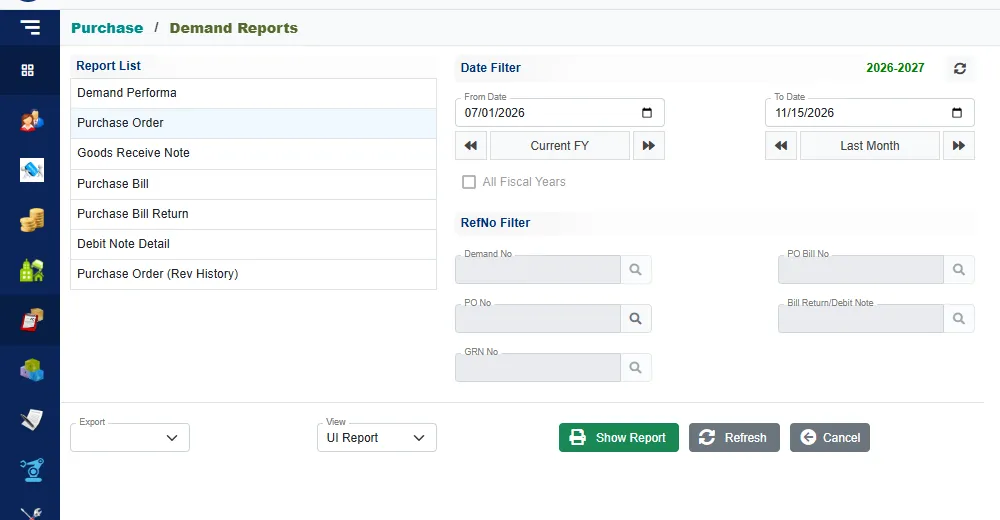
Click the document you want in the Report List:
Document Pick it by Demand Performa Demand No Purchase Order PO No Goods Receive Note GRN No Purchase Bill PO Bill No Purchase Bill Return Bill Return/Debit Note Debit Note Detail Bill Return/Debit Note Purchase Order (Rev History) PO No In RefNo Filter, click the search button beside the number the document needs. Pick the document from the list, for example the purchase order.
Click Show Report.
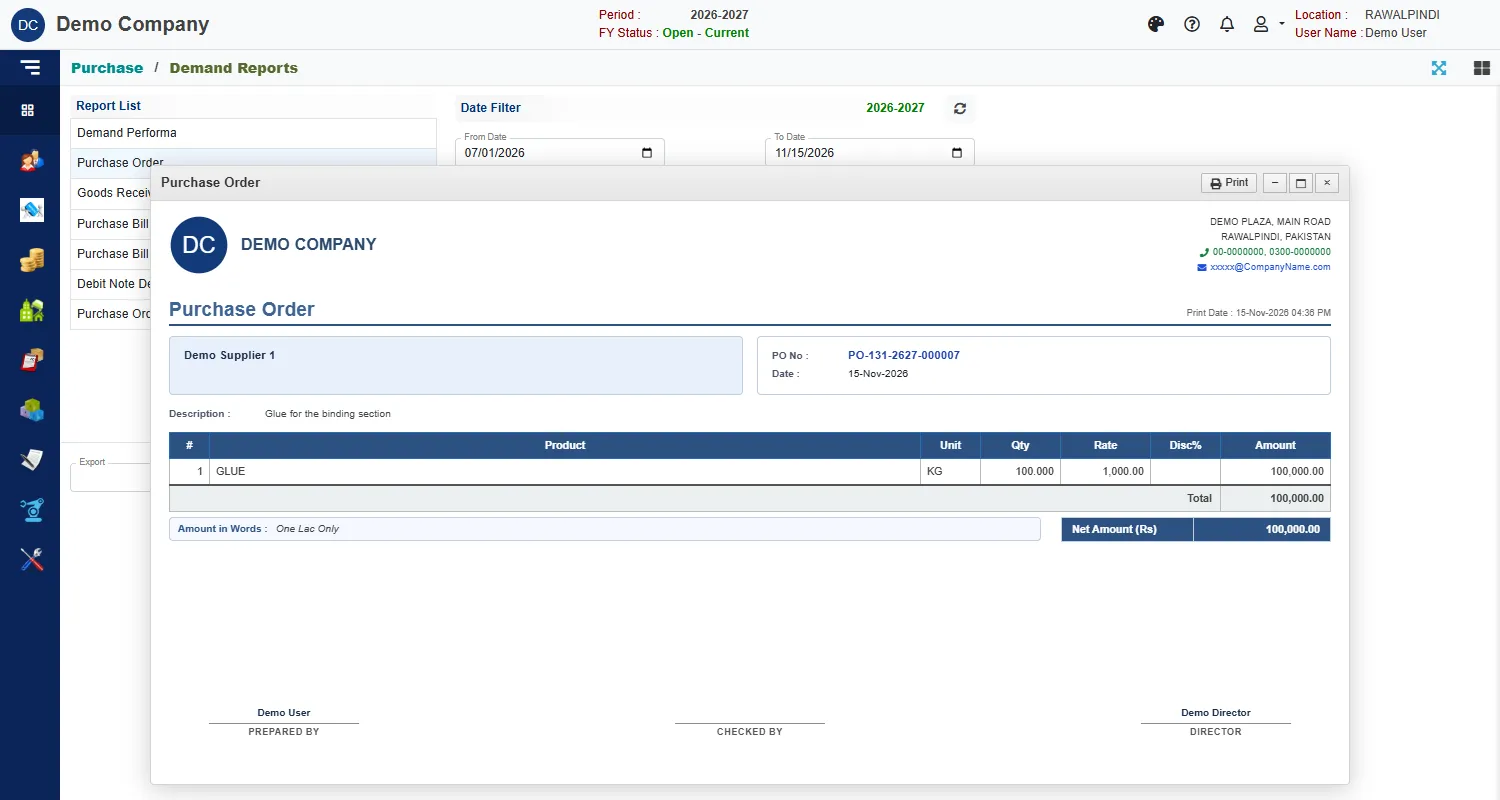
The document opens in a window with your company's heading, the supplier, the lines and the totals, and signature lines at the bottom. Click Print in the window to print it.
The Purchase Order (Rev History) report shows the earlier versions of an order that has been changed.
The registers
Purchase Reports and Purchase Return Reports have the same seven reports: Date Wise, Monthly (Party Wise), Monthly (Item Wise), Item Wise (Detail), Item wise (Consolidated), Party Wise (Detail) and Party Wise (Consolidated). The first covers purchases and the second returns and debit notes.
They work exactly like the sales registers. Pick the report, set the From Date and To Date (the buttons Current FY and Last Month fill them in), narrow with the Product Filter if you want, and click Show Report.
| Report | What it shows |
|---|---|
| Date Wise | Every bill by day, with the supplier, product, quantity, rate, amount, discount and net amount, sub-totals and a grand total. |
| Monthly (Party Wise) | One row for each supplier, with its purchases in each month from July to June, and a total. |
| Monthly (Item Wise) | The same, one row for each product. |
| Item Wise (Consolidated) | Each product with the suppliers it came from. |
| Item Wise (Detail) | Each product with every bill. |
| Party Wise (Consolidated) | Each supplier with the products bought. |
| Party Wise (Detail) | Each supplier with every bill. |
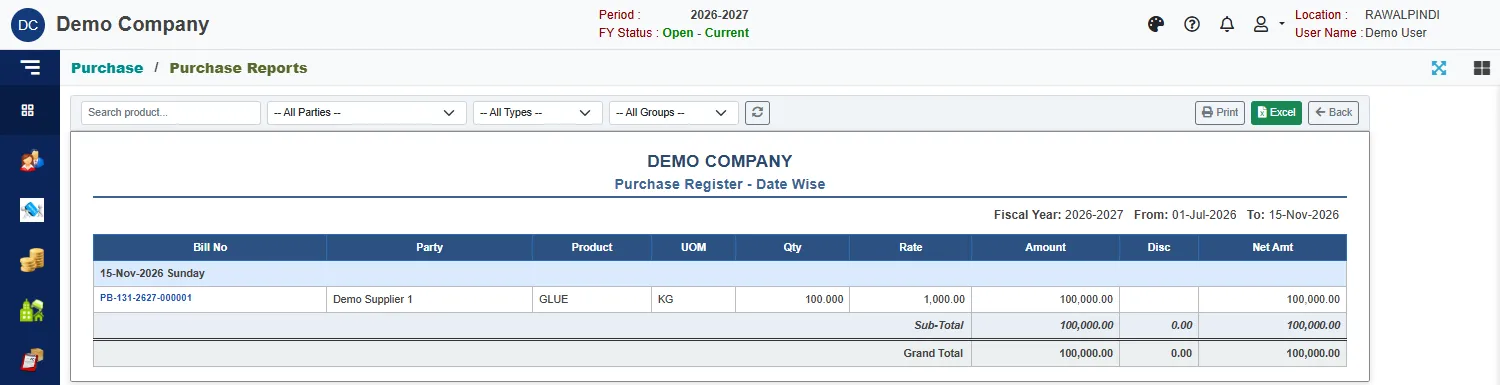
Above each report are a search box, filters for supplier, type and group, a refresh button, and Print, Excel and Back. For the layout of the filter page, see Sales reports.