What is here
The Reports group on the Payroll page has these entries:
| Entry | What it shows |
|---|---|
| Daily Attendance | Each day of the period, with every employee's status and scan times. |
| Monthly Attendance | Each employee in turn, day by day, with a summary and their leave history. |
| Monthly Attendance Summary | One grid: employees down the page, days across. |
| Leave Detail | The leaves of the period, by employee. |
| Overtime List | The payslips that carry overtime from the machine scans. |
| PaySlip List | A month's payslips on one table. |
| PaySlip Detail | The payslips, one for each employee, ready to print. |
| PayRoll Reports | A page with the statements: late deduction, provident fund, tax, loan, advance, advance summary, payslip list, payslip detail and bank deposit list. |
Run a report
The attendance entries and PaySlip List, PaySlip Detail and Leave Detail open straight onto the report. At the top are the From and To dates, a box to pick All employees or one, and a refresh button. Change them and click refresh. Print prints the report, and the button at the right returns to the report list.
PayRoll Reports is a filter page first.
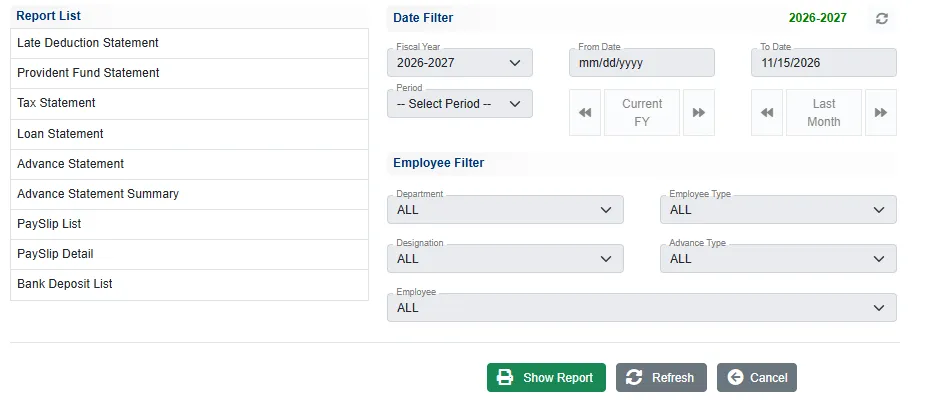
- Click the report in the Report List.
- Set the dates: the Fiscal Year, or a Period, or the From Date and To Date. Current FY fills in the whole year.
- In Employee Filter, narrow by Department, Designation, Employee Type, Advance Type or one Employee. Leave them on ALL for everyone.
- Click Show Report.
Attendance reports
Daily Attendance
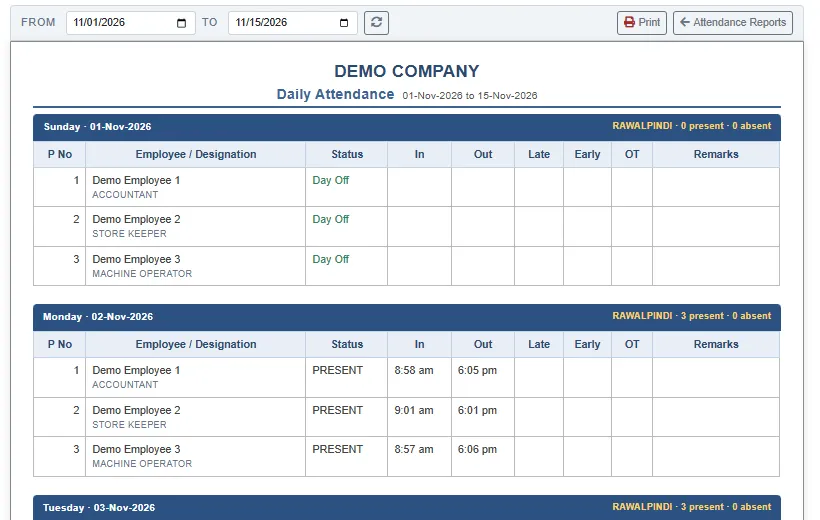
A block for each day, with its heading (the weekday and date, and how many were present and absent). Each employee has a line with the Status, the In and Out scans, the minutes Late and Early, the OT, and a Remarks note: Day Off, Half Absent, Full Absent, the leave type or the holiday name.
Monthly Attendance
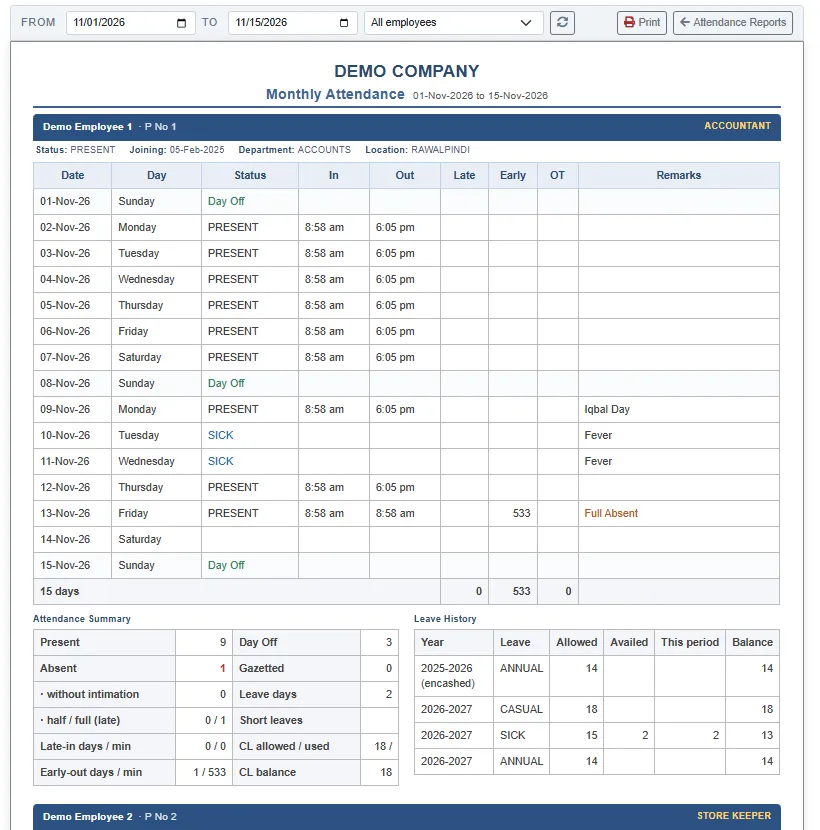
One table for each employee, a line for each day. Under it, an Attendance Summary (days present, absent, day off, gazetted, leave days, the late and early minutes) and a Leave History with the leave Allowed, Availed and the Balance for each leave type and year.
Monthly Attendance Summary
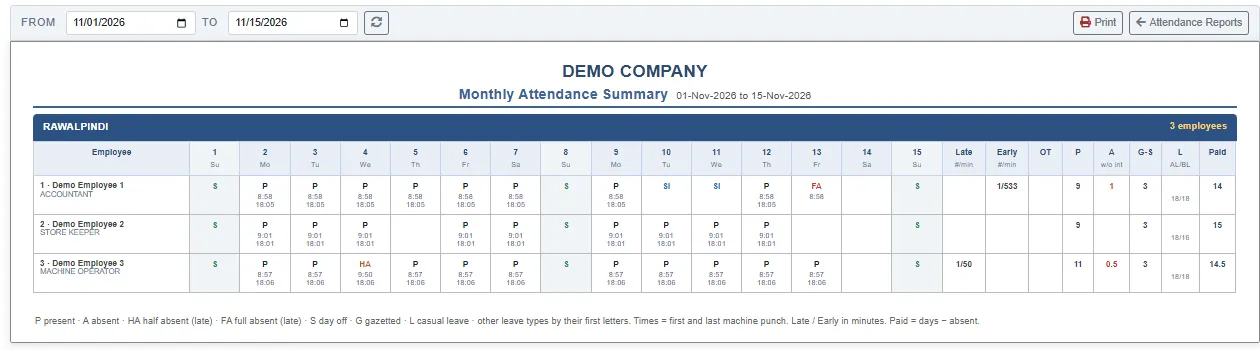
One row for each employee and one column for each day, with a code in each: P present, A absent, HA half absent (late), FA full absent (late), S day off, G gazetted, L leave (the first letters of the leave type for the others). The scan times are under the code. The columns at the right total the late and early minutes, the overtime, the days present and absent, gazetted days and Sundays, the leave allowed / balance and the Paid days.
Leave Detail
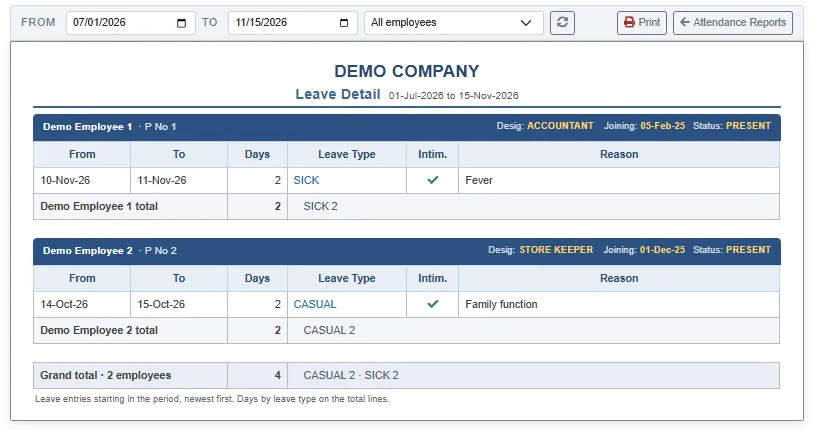
The leaves that start in the period, newest first, for each employee: the dates, the Days, the Leave Type, a tick if it was with intimation, and the reason. The foot gives the days by leave type.
Overtime List
Lists the payslips of the period that carry overtime worked out from the machine scans, with the hours, the rate and the amount. Overtime you typed on Overtime Entry is paid as the OVERTIME allowance on the payslip and is not on this list.
Payslip reports
PaySlip List
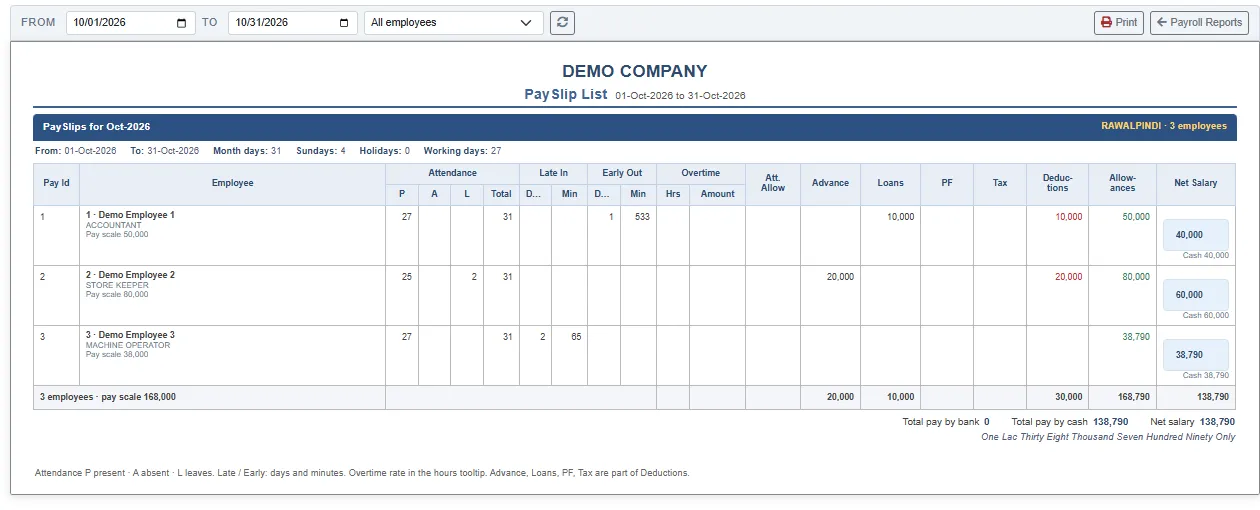
All the slips of the period on one table: for each employee the attendance (Present, Absent, Leave, total days), the late and early-out days and minutes, the overtime, the Advance, Loans, PF and Tax deducted, the total Deductions and Allowances, and the Net Salary with how it is paid. The foot gives the totals, the total paid by bank and by cash, and the net salary in words.
PaySlip Detail
One slip for each employee, with the allowances, the deductions, the attendance figures and the net salary. It is the slip you hand to the employee. See Generate PaySlip.
Bank Deposit List
The salaries to be paid through the bank, for the employees paid by bank or split between bank and cash. It says No bank salaries for these filters when everyone is paid in cash.
Statements
All are on PayRoll Reports.
| Report | What it shows |
|---|---|
| Loan Statement | For each employee with a loan: the loan, the deductions and repayments, and the running balance. |
| Advance Statement | The same for advances. |
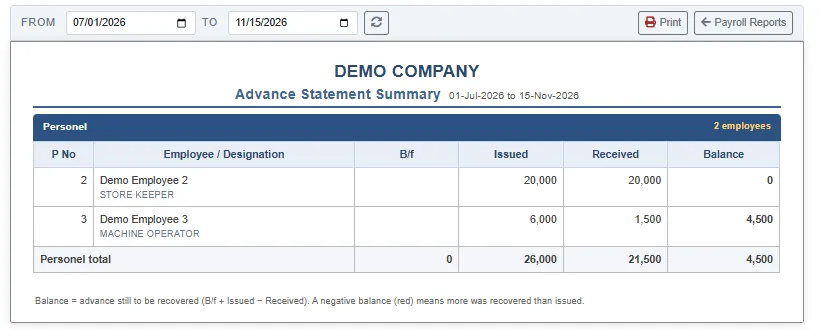
| Advance Statement Summary | One line for each employee and advance type: the B/f, what was Issued, what was Received and the Balance. |
| Provident Fund Statement | The provident fund deducted from the payslips. |
| Tax Statement | The income tax deducted from the payslips. |
| Late Deduction Statement | The deductions made for late arrivals. |
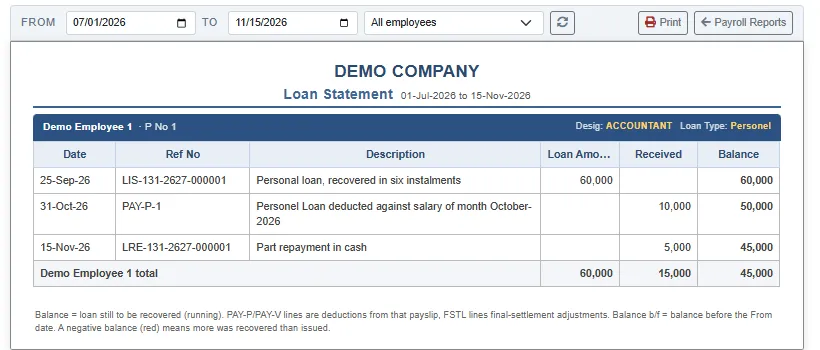
A balance in red means more was recovered than was lent. These statements say No … for these filters when there is nothing to show.