What it is for
An advance is money you give an employee before their salary. It is recovered from their pay: the payslip of the Recover in month deducts it. An employee can also give some of it back in cash, which you record with Advance Receive.
Both screens post an accounting voucher.
Issue an advance
Open Payroll and click Issue Advance.

Each row shows the Advance Id, the date, the employee, the amount and the description. Narrow the list by Department, Designation and Type. The buttons above the list act on the selected advance: Print (the advance slip), Attach (documents) and Voucher (the accounting entry).
To give an advance:
Click the green Add Advance.
In the window Select Employee, click a row and Ok (or double-click).
Fill in the form:
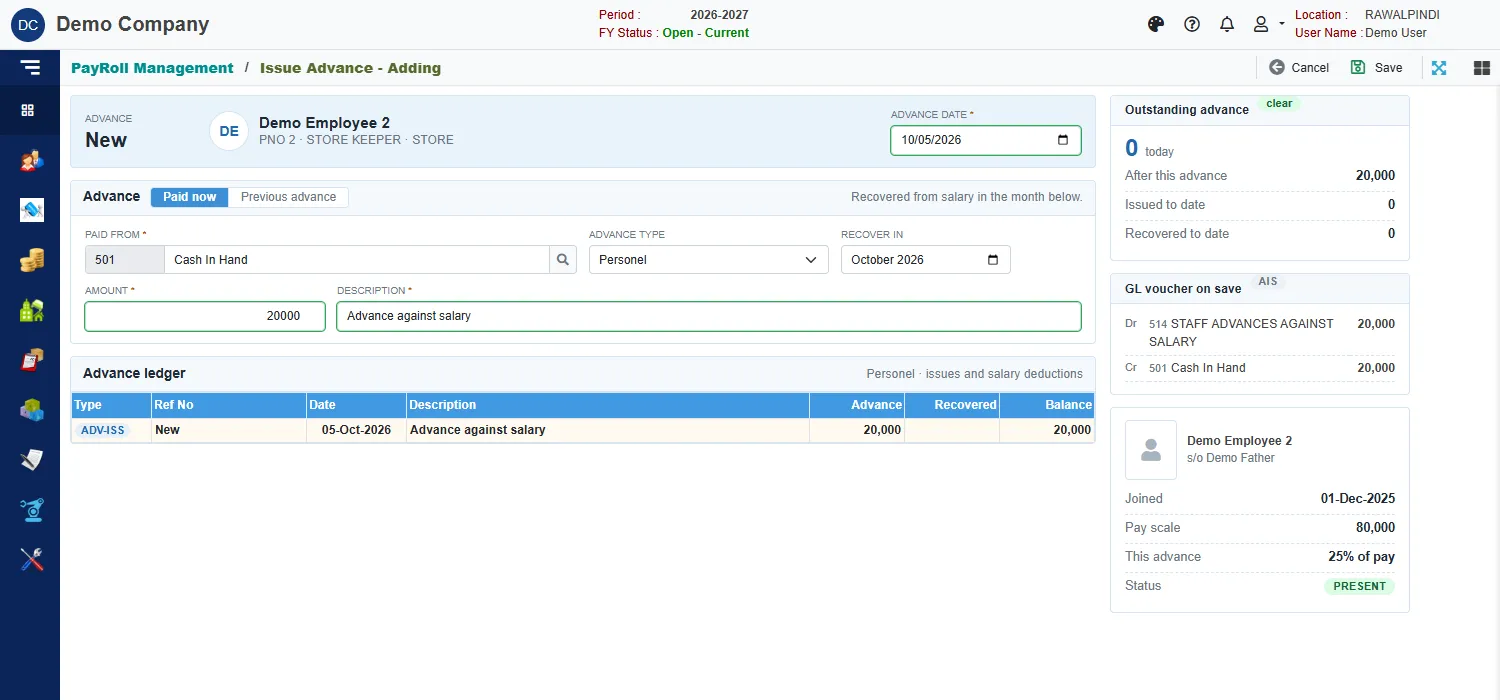
Issuing an advance Field What to enter Advance date Required. Inside the fiscal year. Paid now or Previous advance Paid now pays it from cash or bank today. Previous advance brings in an advance given before you used the system: no cash entry is made. Paid from Required. The cash or bank account the money comes out of. Advance type The kind of advance. Recover in The month whose payslip deducts it. Amount Required. Description Required. Click Save.
A green message confirms it, for example AIS-131-2627-000001.
The cards on the right
- Outstanding advance: what the employee owes today, what it will be After this advance, and the totals Issued to date and Recovered to date. The tag beside the title reads clear when nothing is owed.
- GL voucher on save: the entry that will post. For the advance above: debit STAFF ADVANCES AGAINST SALARY 20,000, credit Cash In Hand 20,000.
- The employee's card: when they joined, their pay scale, This advance as a share of their pay, and their status.
The Advance ledger under the form lists every advance and recovery of this employee.
How it is recovered
When you generate the payslip for the employee, the ADVANCE deduction is what is still owed on advances dated up to the end of that month. A payslip recovery shows in the ledger as Deducted against salary of October-2026. If the employee has already returned cash dated after the month end, that is taken off the deduction.
Advance Receive
Use Advance Receive when an employee gives money back outside payroll, in cash or into the bank. Open Payroll and click Advance Receive, then Add Receipt.
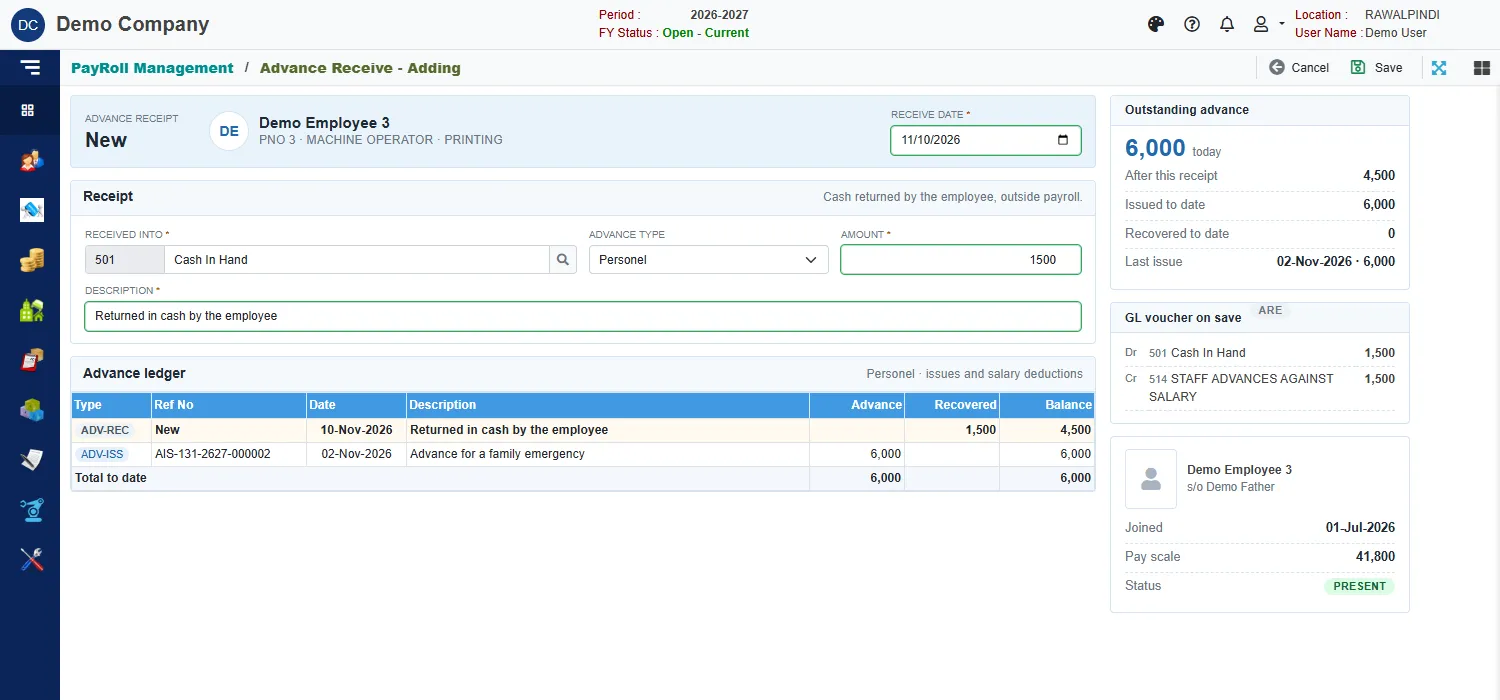
Pick the employee, then the Receive date, the account it is Received into, the Advance type, the Amount and a Description, and click Save. The card Outstanding advance shows what is left after this receipt (here 6,000 less 1,500 leaves 4,500). The voucher debits the account that received the money and credits STAFF ADVANCES AGAINST SALARY. The number starts with ARE-.
If you enter more than the employee owes, the card says This receipt is more than the outstanding balance. Check the amount.
Messages you may see
| Message | What to do |
|---|---|
| Description is required | Type a description. |
| Paid from account is required / Received into account is required | Pick the cash or bank account. |
| Advance Amount is required / Receive Amount is required | Enter the amount. |
| Opps! Nothing to save | You have not changed anything. |
Related
- Loans
- Generate PaySlip
- Payroll reports: the advance statements.