What the module is for
Fixed Assets keeps a register of what the company owns and uses for years: machines, vehicles, computers, furniture, buildings. For each asset it holds the cost and the useful life, charges depreciation every month, and records its disposal when it is sold or scrapped. Every charge and every disposal posts a voucher to the General Ledger.
The Assets Management module page
Open Assets Management from the left strip.
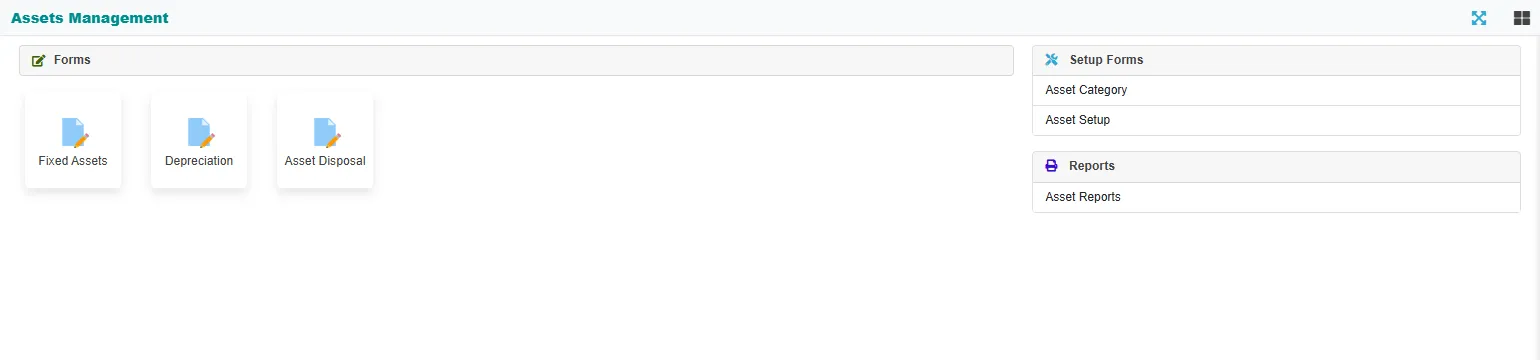
| Entry | What it is for |
|---|---|
| Fixed Assets | The register: add an asset, see its cost, depreciation and book value. See The asset register. |
| Depreciation | Charge the monthly depreciation, or take back the latest month. See Monthly depreciation. |
| Asset Disposal | Sell or scrap an asset. See Disposing of an asset. |
| Asset Category, Asset Setup | The categories with their GL accounts, and the location, group and operator lists. See Asset setup lists. |
| Asset Reports | The status summary and the statement of each asset. See Asset reports. |
The accounts behind an asset
| When | The voucher | Dr | Cr |
|---|---|---|---|
| You buy an asset | The purchase bill or the cash or bank payment, entered as usual. The register posts nothing. | The asset's own account | The supplier, cash or bank |
| You take an asset from stock | Posted by the register when you save the asset (IT) |
The asset's account | Stock |
| Every month | A depreciation voucher per asset (DV) |
The depreciation account | The asset's account |
| You dispose of it | A disposal voucher (DPS) |
The cash or bank account for the money received, and a loss | The asset's account for its book value, and a gain |
Each asset has its own GL account, under the GL account category of its asset category. The book value (also called WDV, written-down value) is the cost less the depreciation charged.
The order to work in
- Set up the categories and lists once.
- Book the purchase to the asset account: a purchase bill, or a cash or bank payment. See Cash vouchers and Bank vouchers.
- Add the asset to the register with its cost and life.
- Each month, run depreciation for the month just ended.
- When an asset leaves, dispose of it.
- Check the Asset Status report: its GL balance column should agree with the book value.