The Asset Reports page
Open Assets Management and click Asset Reports.
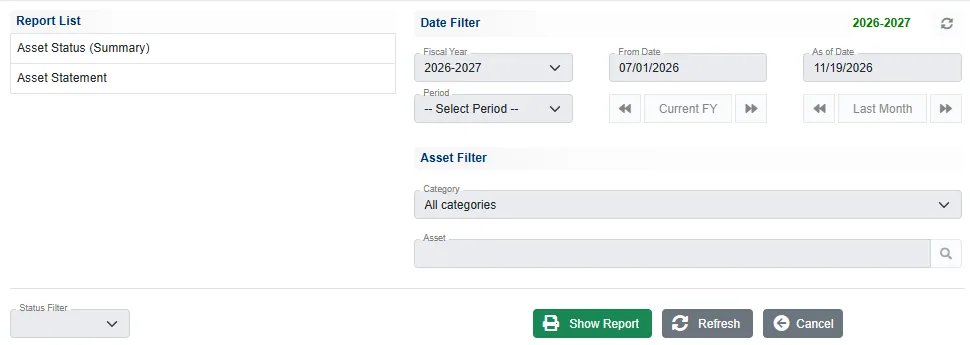
- Click Asset Status (Summary) or Asset Statement in the Report List.
- Under Date Filter, the As of Date is the date the report is worked out to. Fiscal Year, Period and the arrows set it for you.
- Under Asset Filter, choose a Category, or pick one Asset with the search button.
- Click Show Report.
On the report, the bar at the top changes the As of date, the category and the status or asset without going back. Print prints it and Asset Reports takes you back.
Asset Status (Summary)
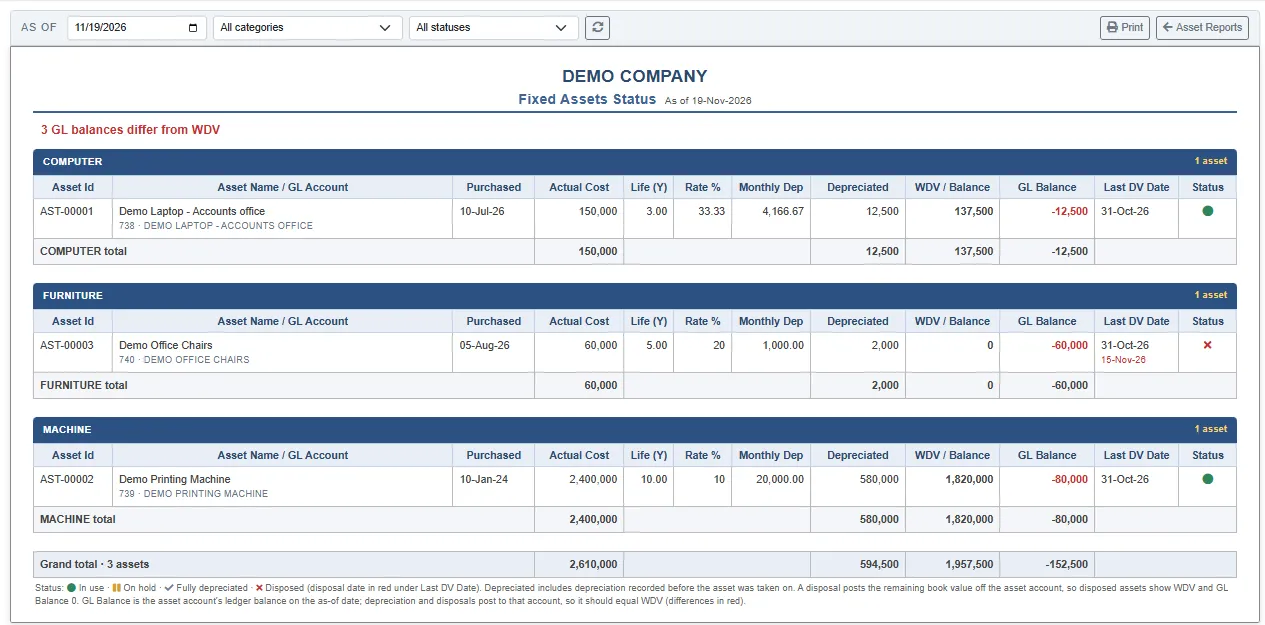
One block per category, one line per asset: the asset number, the name with its GL account, the purchase date, the Actual Cost, the Life, the Rate %, the Monthly Dep, the Depreciated so far, the WDV / Balance (book value), the GL Balance, the Last DV Date (the last depreciation charge, with the disposal date in red under it) and the Status (green dot: in use, bars: on hold, tick: fully depreciated, cross: disposed). Each category has its totals and the last line the grand total. The bar can narrow it to one status, or to the assets Not disposed.
Depreciated includes the depreciation before take-on. A disposed asset shows a WDV of 0.
The GL check
GL Balance is the balance of the asset's own account on the as-of date. Depreciation and disposals post to that account, so it should equal the WDV. When they differ, the figure is red and a red line at the top counts them, for example 3 GL balances differ from WDV.
In the example every balance differs, because the purchases were not booked to the asset accounts. A difference means one of these:
- The purchase was not booked to the asset's account, or was booked to a different one.
- For an asset taken on from earlier years, the opening balance of its account is not its book value on the take-on date.
- A voucher was entered on the asset's account by hand.
Asset Statement
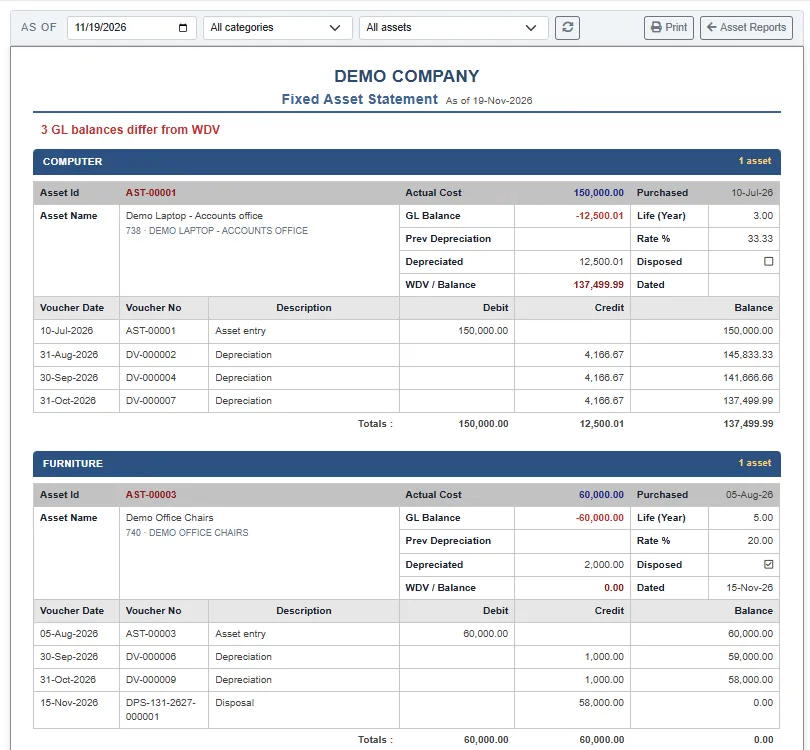
One block per asset. The head repeats the cost, GL balance, life, rate, previous depreciation, depreciation, disposal and book value. Below it, every entry in date order: the Asset entry for the cost, the Depreciation before take-on, each monthly Depreciation (DV) and the Disposal (DPS), with the running Balance. Use All assets on the bar, or pick one asset.
Related
- The asset register
- Account reports: the ledger of an asset account