What these lists are
The choices on the employee record come from six short lists on the Setup Forms group of the Human Resource page. Set them up before you add employees, and add to them when something new comes up.
| List | Used on the employee record for |
|---|---|
| Designations | Designation: the job title. |
| Departments | Department. The employee list and the employee reports group by it. |
| Employee Family Relations | Relation on the Family tab of the Profile. |
| Employee Types | Employee type, for example PERMANENT or CONTRACT. |
| Religions | Religion. |
| Bank | Bank and Branch for an employee paid through the bank. |
The allowance, deduction and leave types are set up in Payroll. See Payroll setup lists.
Designations, departments, relations, employee types and religions
These five lists work the same way. Open Human Resource and click the list, for example Departments.
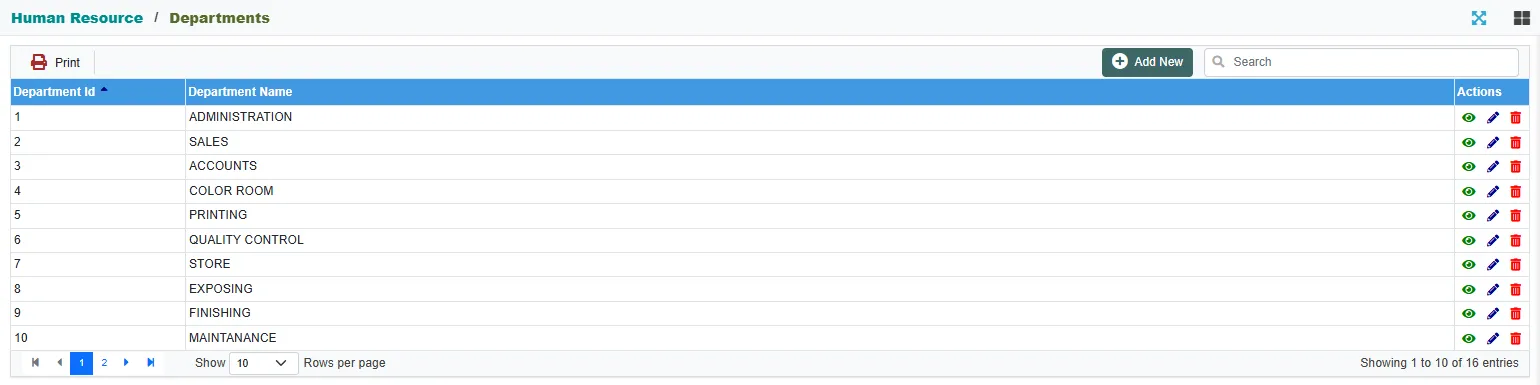
Each row has a number and a name. Use Search to find a row, the arrows at the bottom to page through, and Show to see more rows on a page. Departments and Designations also have Print, which prints the list.
Click Add New to add one.
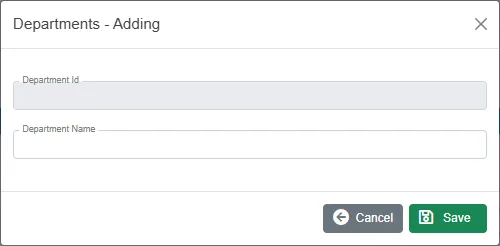
Type the name and click Save. The number is given for you. Edit on a row changes the name. Every employee using that row shows the new name.
A row that an employee uses cannot be deleted. You get, for example, You can not delete Department. It is being used in Employee Master. For a family relation the message names Family Master: the relation is on an employee's Family tab.
Bank and branches
Open Bank.

Click Add New for a new bank, or Edit on a bank to change it and its branches.

Type the Bank Name. Under Branch, click Add Row to add a branch with its Branch Code (not required) and Branch Name. Then click Save (Update on an existing bank).
On the employee record, the Branch list shows the branches of the bank you chose. A bank or branch that an employee uses cannot be deleted: You can not delete Bank. It is being used in Employee Master.
Related
- Employees
- Employee reports: the department and designation lists