The Employee Reports page
Open Human Resource and click Employee Reports.
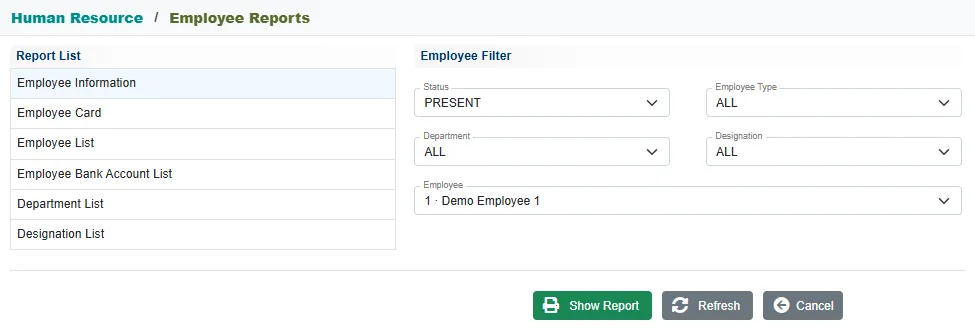
- Click a report in the Report List.
- Narrow the employees with the Employee Filter: Status (it starts on PRESENT), Employee Type, Department and Designation. The Employee list then shows only the employees that match. Pick one employee, or leave it on ALL.
- Click Show Report. Refresh clears the filters and Cancel closes the page.
The Department List and Designation List take no filter.
| Report | What it shows |
|---|---|
| Employee Information | One page per employee, with everything on the record. |
| Employee Card | The employee's identity card, front and back, three to an A4 page. |
| Employee List | The employees grouped by department, with the pay scale totals. |
| Employee Bank Account List | The employees paid through the bank, grouped by bank and branch, with their account numbers. |
| Department List, Designation List | The setup lists, for printing. |
The bar on a report
Each employee report opens with a bar on top. There you can change the status and the employee without going back, and Refresh shows the report again. The text beside it says how many employees or cards are shown. Print prints the report and Employee Reports takes you back to the page.
Employee Information
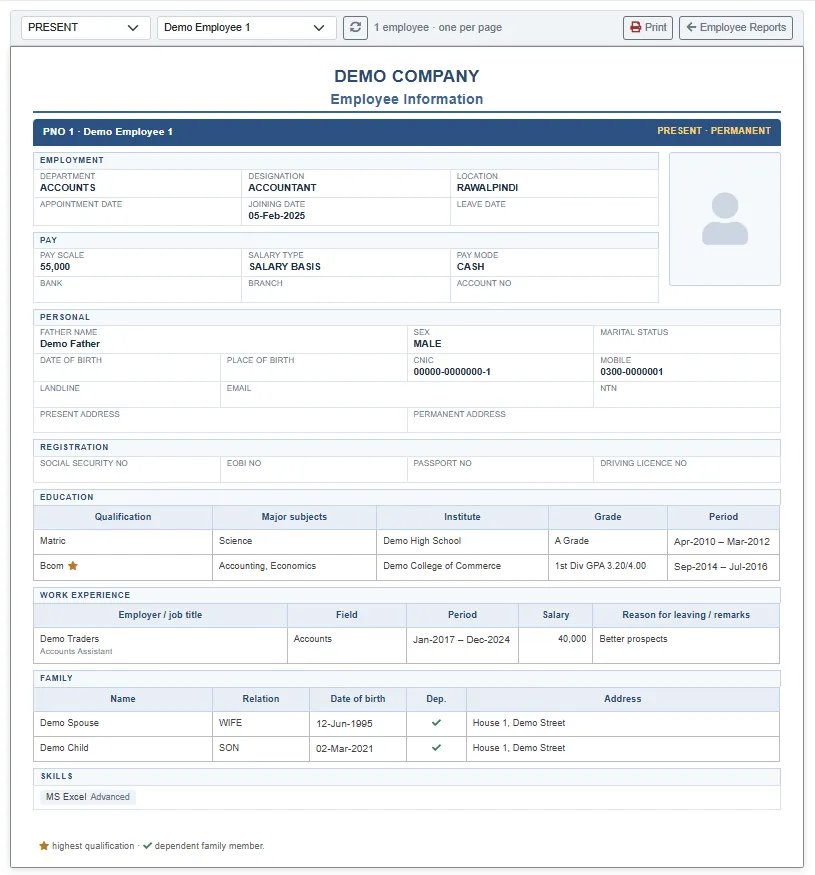
The sheet has the employee's employment, pay, personal and registration details, with the photo. Below them come the education, work experience, family and skills from the Profile. A star marks the highest qualification and a tick a dependent family member. With ALL employees, each one starts on a new page.
To print one employee's sheet from the employee list, click the row and then Print.
Employee Card
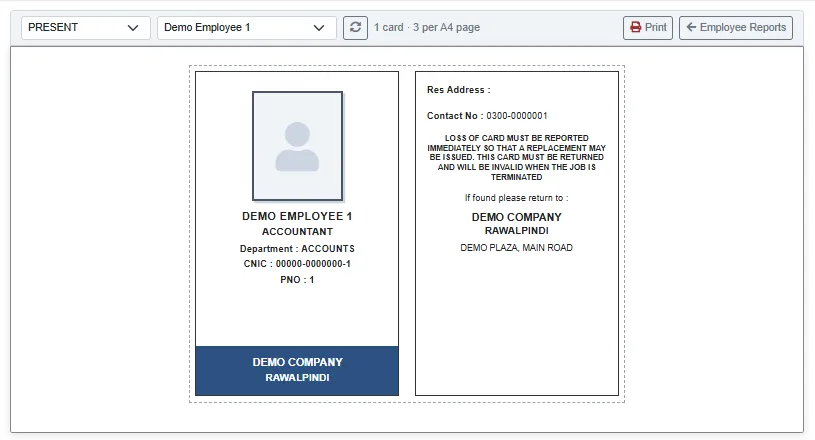
The front has the photo, name, designation, department, C.N.I.C. and PNO. The back has the address, the contact number, the return-if-found note and the company address. Cut along the dotted line.
Employee List
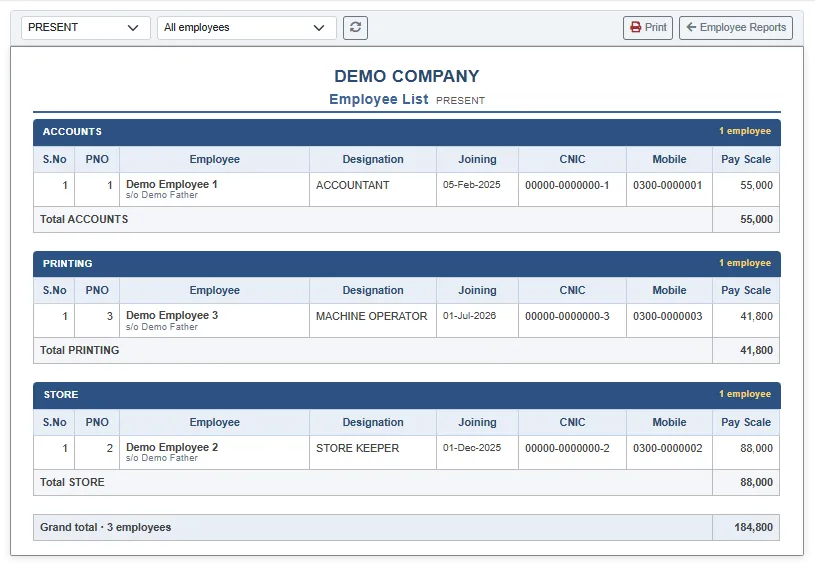
One block per department, with S.No, PNO, the employee and father name, Designation, Joining date, CNIC, Mobile and Pay Scale. Each department has a pay scale total, and the last line gives the grand total and the number of employees.
Employee Bank Account List
One block per bank and branch, with S.No, PNO, Employee, Designation and Account No. Only employees paid through the bank are listed. If none match the filters, the report says No bank-paid employees for these filters.
Related
- Employees
- Payroll reports: payslips, the bank deposit list and the attendance reports