What Administration is for
Administration is for the person who looks after PrixERP for the company. It decides who can log in, what each person can open and change, and the company details printed on documents.
The User Administration module page
Open User Administration from the left strip (the last icon before Log out).
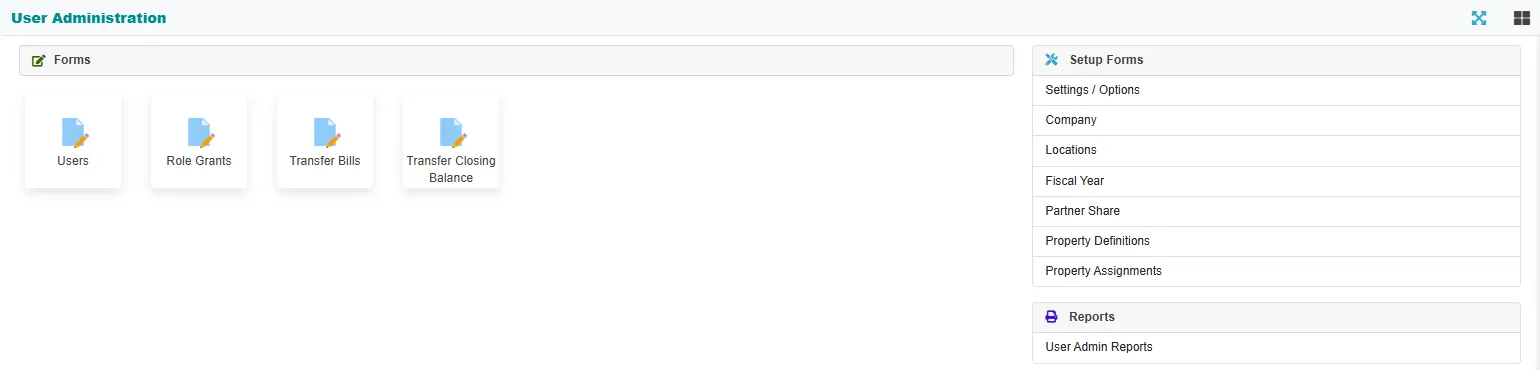
| Entry | What it is for |
|---|---|
| Users | Logins, passwords and permissions. See Users and permissions. |
| Company | The company name, tax numbers, logo, stamp and the person who signs. See Company and locations. |
| Locations | The company's offices or sites, with their address and phone numbers. See Company and locations. |
| Property Definitions, Property Assignments | The manufacturing options a work order or a product can carry, and where each one shows. See Manufacturing properties. |
Role Grants, Transfer Bills, Transfer Closing Balance, Settings / Options, Fiscal Year, Partner Share and User Admin Reports are on the page but do not open a screen yet. In the web app, permissions are set on each user (see Users and permissions).
Who sees this module
Only users with the forms in their permissions see them. An administrator normally has all of them. A user's menu shows only the forms that user has been given, on every module page.
Related
- Logging in: the User Id and password a user types.
- The screen layout: the user menu with Reset Password.